


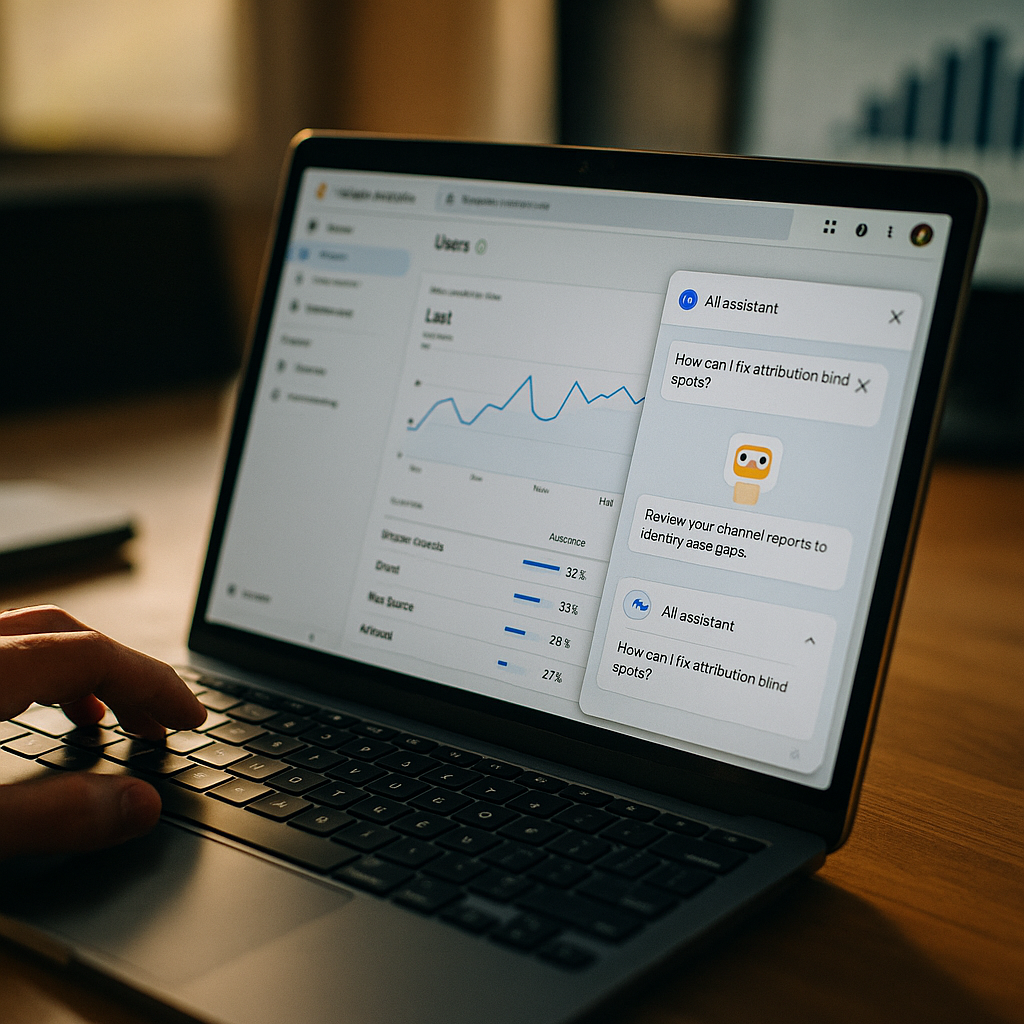
Google quietly rolled AI-referred traffic into a bucket most marketers never audit. If you’re still reading “Organic Search” as a clean signal, you’re probably crediting SEO for wins that actually came from ChatGPT or Perplexity. GA4’s AI Assistant channel configuration is the fix — but only if you set it up correctly, and most teams haven’t.
Here’s the problem in one sentence: generative engines like ChatGPT, Gemini, Perplexity, and Copilot now send referral traffic that GA4’s default channel grouping either misclassifies as Organic Search or dumps into an undifferentiated “Unassigned” pile. Neither outcome tells you what actually happened. Did a user land on your product page because Google ranked you, or because an AI assistant cited you in a synthesized answer? Those are two completely different discovery paths with different content requirements, different conversion behaviors, and — this matters for budget conversations — different strategic implications for where you invest next quarter.
Why This Matters More Than It Did Even a Year Ago
Generative engine referral traffic isn’t a rounding error anymore. Multiple industry trackers have flagged triple-digit year-over-year growth in referral sessions from AI chat interfaces, and eMarketer’s ongoing research on AI-driven discovery behavior suggests this shift is accelerating, not plateauing. Meanwhile, traditional organic click-through rates are compressing as Google’s AI Overviews absorb more query intent before a user ever reaches a results page.
For brand and performance marketers, this creates a measurement blind spot. If your dashboards can’t separate “found via AI assistant” from “found via classic SERP,” you can’t answer basic questions your CMO will ask: Is our GEO investment working? Should we shift content budget away from traditional SEO? Which channel is actually driving qualified pipeline?
Treating AI-referred sessions as generic organic traffic isn’t just sloppy analytics — it’s a direct threat to how you justify next year’s content and GEO budget.
This isn’t a niche concern for enterprise SEO teams either. Any brand running content marketing, PR, or influencer-driven earned media needs to know whether that coverage is surfacing in AI-generated answers, because that’s a new distribution channel with its own ROI math.
How GA4 Actually Classifies AI Referral Traffic
GA4’s default channel grouping logic relies on a combination of source/medium matching and referral exclusion lists. Out of the box, Google has been updating its system default channel groupings to recognize known AI assistant domains — chat.openai.com, perplexity.ai, copilot.microsoft.com, gemini.google.com — and route them into an “AI Assistant” or similar generative-source bucket. But “recognize” doesn’t mean “recognize reliably.”
The gaps show up in three places:
- New or lesser-known AI tools (Claude’s web interface, niche vertical AI search products, in-app browsers inside AI assistant apps) often arrive with referral strings GA4 hasn’t mapped yet, so they default to Organic Search or Direct.
- Stripped or malformed referrer headers — common when traffic comes from mobile AI apps rather than browser-based sessions — mean GA4 sees no referrer at all, and the session gets logged as Direct traffic.
- UTM-less citation links inside AI-generated answers (which most platforms still don’t append consistently) leave GA4 guessing based on referrer domain alone, with no campaign context to confirm intent.
That last point is the one most teams underestimate. Unlike paid channels where you control the UTM structure, you have zero control over how ChatGPT or Perplexity link back to your site. You’re entirely dependent on referrer-domain matching, which is fragile by design.
The Default Channel Grouping Isn’t Enough on Its Own
Relying purely on Google’s system defaults means you’re trusting a moving target. Google updates its AI Assistant channel definitions periodically, and those updates aren’t always communicated with the fanfare of a core algorithm update. A domain that was miscategorized last quarter might be correctly bucketed this quarter — but your historical data won’t retroactively fix itself. That creates reporting discontinuities that are hard to explain in a quarterly business review.
The fix isn’t to abandon GA4’s native channel grouping. It’s to supplement it with a custom channel group built specifically to isolate and validate AI referral sessions, so you have a source of truth that doesn’t depend entirely on Google’s classification cadence.
Building a Custom Channel Group for Generative Discovery
This is the operational core of the fix. In GA4, navigate to Admin > Data display > Channel groups, and create a custom channel group rather than editing the default. Editing the default risks breaking historical comparisons; a custom group runs in parallel, giving you a clean before/after view.
Structure your custom rule logic in this order of precedence:
- Referrer domain matching — build a regex condition capturing known AI assistant domains (chatgpt.com, chat.openai.com, perplexity.ai, copilot.microsoft.com, gemini.google.com, you.com, claude.ai). Update this list quarterly; new entrants appear faster than most teams update their configs.
- UTM parameter override — if you’re running any citation-tracking or PR outreach that requests AI-crawlable content include tagged links (some brands now negotiate this with content partners), let UTM values take precedence over referrer matching.
- Landing page pattern fallback — for sessions with no referrer and no UTMs but that hit specific “answer-style” landing pages (FAQ pages, comparison pages, glossary content) at unusual velocity, flag them for manual review rather than auto-classifying as Direct.
That third rule is imperfect — it’s a heuristic, not a hard signal — but it at least surfaces anomalies for a human to check rather than silently absorbing them into Direct traffic, which is where most AI-referred sessions currently go to die in standard reporting.
If your Direct traffic has crept upward with no clear cause, check your top landing pages for AI-referral patterns before you assume it’s just brand-search behavior.
Once the custom channel group is live, cross-reference it against Google Search Console’s referral data and any server-log analysis you can run. Log-level analysis, painstaking as it is, remains the most reliable way to confirm whether a bot or AI crawler actually visited a page before a corresponding referral session appeared. This kind of infrastructure auditing overlaps with broader martech stack readiness work many teams are already doing as they prepare for more agentic, AI-mediated customer journeys.
Segment, Then Compare Behavior — Not Just Volume
Isolating the sessions is step one. The real value comes from comparing behavior between AI-referred and classic organic sessions. Pull these metrics side by side:
- Average engagement time
- Pages per session
- Conversion rate by goal/event
- Bounce rate on first-touch landing pages
- Assisted conversions in multi-touch paths
Early data across brands running this comparison shows AI-referred sessions often convert at different rates than classic organic — sometimes higher, because the user arrives with intent already validated by the AI’s summary; sometimes lower, because the click was exploratory rather than transactional. There’s no universal pattern yet, which is exactly why isolating the channel matters. You need your own data, not an industry benchmark, to make budget calls.
This is also where GEO (generative engine optimization) investment gets its report card. If you’ve been testing GEO tactics — structured data, citation-friendly formatting, direct-answer content blocks — this segmented view is the only honest way to see if it’s working. Teams evaluating GEO tools tested for citation lift should be feeding results back into this exact GA4 configuration, not a generic organic report.
Watch for Attribution Overlap With Paid and Influencer Channels
Here’s a wrinkle that trips up a lot of teams running influencer or creator programs: AI assistants increasingly cite third-party content — reviews, roundups, creator posts — when generating answers about products. If your creator content is repurposed into paid inventory, some of that traffic may loop back through an AI assistant referral before reaching your site, meaning influencer-driven awareness gets miscredited to a generic “AI Assistant” bucket in GA4 unless you also maintain UTM discipline on creator links.
The practical fix: mandate UTM tagging on every trackable link a creator or affiliate uses, regardless of platform. That way, even if the click path runs through a screenshot shared to an AI chat interface or a link pasted into a Perplexity thread, your UTM parameters (where preserved) give you a fighting chance at correct attribution. It won’t be perfect — copy-paste behavior strips UTMs constantly — but it beats a fully blind spot.
Cross-reference this configuration work with your broader identity resolution and consent framework, since AI-referred sessions often arrive with thinner first-party signal than search or paid social, complicating downstream matching in your CDP.
What About Privacy and Consent Implications?
Isolating a new traffic channel means scrutinizing what data you’re collecting on it. If your consent management platform treats AI-referred sessions differently — say, because the referrer domain triggers a different classification in your CMP’s rule set — you could inadvertently under- or over-collect based on jurisdiction. Review this against current guidance from the FTC and, for UK/EU audiences, the ICO, particularly as regulatory attention on AI-mediated data flows continues to sharpen. This isn’t a one-time check; revisit it whenever you update your custom channel group definitions.
Operationalize It: A Quarterly Cadence, Not a One-Time Setup
Generative engines change their referral behavior often — new app versions, new in-app browsers, new link-wrapping schemes. A channel configuration that’s accurate today will drift within a quarter. Build a recurring review into your analytics ops calendar:
- Audit referrer domains monthly against known AI assistant sources
- Cross-check GA4’s system default channel updates against your custom group logic
- Reconcile Search Console, server logs, and GA4 quarterly to catch silent misclassification
- Report AI-referred performance separately in every content and SEO business review, even if the volume still feels small
Teams that have gone through similar recurring-audit exercises for other AI-adjacent tooling — see how some organizations approach internal AI sandboxes for vetting vendor tools — tend to treat this as a standing agenda item rather than a project with an end date. That’s the right instinct here too. For broader context on how GA4’s evolving classification logic fits industry-standard measurement practice, Google’s own support documentation is worth bookmarking, since these definitions will keep shifting.
Next step: Don’t wait for Google’s default channel grouping to catch up. Build the custom channel group this week, backfill referrer-domain rules from your last 90 days of Direct and Organic traffic, and put a recurring 30-minute audit on the calendar — quarterly isn’t optional anymore, it’s the cost of trusting your own attribution data.
FAQs
What is the GA4 AI Assistant channel, and when did it appear?
The AI Assistant channel is a system default channel grouping GA4 uses to classify sessions referred from generative AI tools like ChatGPT, Gemini, Perplexity, and Copilot. Google has been progressively expanding recognition of these referral sources within its default channel groupings, but coverage is inconsistent and updates aren’t always well documented.
Why does GA4 sometimes classify AI referral traffic as Organic Search or Direct?
Misclassification happens when the referrer domain isn’t yet mapped in GA4’s system defaults, when mobile AI apps strip referrer headers entirely (causing sessions to default to Direct), or when AI platforms don’t append UTM parameters to citation links, leaving GA4 to guess based on limited signal.
Should I edit GA4’s default channel grouping or build a custom one?
Build a custom channel group rather than editing the default. Editing the default can disrupt historical trend comparisons, while a custom group runs in parallel and gives you a clean, controllable view of AI-referred sessions without losing your baseline reporting.
How often should I update my AI referral domain list?
Review and update it at least quarterly. New AI search and chat products launch frequently, and referral domain patterns shift as existing platforms update their app architecture or in-app browsers.
Can I fully trust GA4 data for AI-referred sessions?
Not entirely, and you shouldn’t rely on it alone. Cross-reference GA4’s custom channel group against Google Search Console data and, where possible, server log analysis to confirm bot and referral activity independently of GA4’s client-side tracking.
Does this affect influencer and creator attribution too?
Yes. When AI assistants cite creator content or reviews in generated answers, resulting clicks can get miscredited to a generic AI Assistant bucket unless creator links carry consistent UTM tagging. Mandating UTM discipline across creator programs helps preserve attribution accuracy even as discovery paths get more complex.
FAQs
What is the GA4 AI Assistant channel, and when did it appear?
The AI Assistant channel is a system default channel grouping GA4 uses to classify sessions referred from generative AI tools like ChatGPT, Gemini, Perplexity, and Copilot. Google has been progressively expanding recognition of these referral sources within its default channel groupings, but coverage is inconsistent and updates aren’t always well documented.
Why does GA4 sometimes classify AI referral traffic as Organic Search or Direct?
Misclassification happens when the referrer domain isn’t yet mapped in GA4’s system defaults, when mobile AI apps strip referrer headers entirely (causing sessions to default to Direct), or when AI platforms don’t append UTM parameters to citation links, leaving GA4 to guess based on limited signal.
Should I edit GA4’s default channel grouping or build a custom one?
Build a custom channel group rather than editing the default. Editing the default can disrupt historical trend comparisons, while a custom group runs in parallel and gives you a clean, controllable view of AI-referred sessions without losing your baseline reporting.
How often should I update my AI referral domain list?
Review and update it at least quarterly. New AI search and chat products launch frequently, and referral domain patterns shift as existing platforms update their app architecture or in-app browsers.
Can I fully trust GA4 data for AI-referred sessions?
Not entirely, and you shouldn’t rely on it alone. Cross-reference GA4’s custom channel group against Google Search Console data and, where possible, server log analysis to confirm bot and referral activity independently of GA4’s client-side tracking.
Does this affect influencer and creator attribution too?
Yes. When AI assistants cite creator content or reviews in generated answers, resulting clicks can get miscredited to a generic AI Assistant bucket unless creator links carry consistent UTM tagging. Mandating UTM discipline across creator programs helps preserve attribution accuracy even as discovery paths get more complex.
Top Influencer Marketing Agencies
The leading agencies shaping influencer marketing in 2026
Agencies ranked by campaign performance, client diversity, platform expertise, proven ROI, industry recognition, and client satisfaction. Assessed through verified case studies, reviews, and industry consultations.
Moburst

-
2

The Shelf
Boutique Beauty & Lifestyle Influencer AgencyA data-driven boutique agency specializing exclusively in beauty, wellness, and lifestyle influencer campaigns on Instagram and TikTok. Best for brands already focused on the beauty/personal care space that need curated, aesthetic-driven content.Clients: Pepsi, The Honest Company, Hims, Elf Cosmetics, Pure LeafVisit The Shelf → -
3

Audiencly
Niche Gaming & Esports Influencer AgencyA specialized agency focused exclusively on gaming and esports creators on YouTube, Twitch, and TikTok. Ideal if your campaign is 100% gaming-focused — from game launches to hardware and esports events.Clients: Epic Games, NordVPN, Ubisoft, Wargaming, Tencent GamesVisit Audiencly → -
4

Viral Nation
Global Influencer Marketing & Talent AgencyA dual talent management and marketing agency with proprietary brand safety tools and a global creator network spanning nano-influencers to celebrities across all major platforms.Clients: Meta, Activision Blizzard, Energizer, Aston Martin, WalmartVisit Viral Nation → -
5

The Influencer Marketing Factory
TikTok, Instagram & YouTube CampaignsA full-service agency with strong TikTok expertise, offering end-to-end campaign management from influencer discovery through performance reporting with a focus on platform-native content.Clients: Google, Snapchat, Universal Music, Bumble, YelpVisit TIMF → -
6

NeoReach
Enterprise Analytics & Influencer CampaignsAn enterprise-focused agency combining managed campaigns with a powerful self-service data platform for influencer search, audience analytics, and attribution modeling.Clients: Amazon, Airbnb, Netflix, Honda, The New York TimesVisit NeoReach → -
7

Ubiquitous
Creator-First Marketing PlatformA tech-driven platform combining self-service tools with managed campaign options, emphasizing speed and scalability for brands managing multiple influencer relationships.Clients: Lyft, Disney, Target, American Eagle, NetflixVisit Ubiquitous → -
8

Obviously
Scalable Enterprise Influencer CampaignsA tech-enabled agency built for high-volume campaigns, coordinating hundreds of creators simultaneously with end-to-end logistics, content rights management, and product seeding.Clients: Google, Ulta Beauty, Converse, AmazonVisit Obviously →