


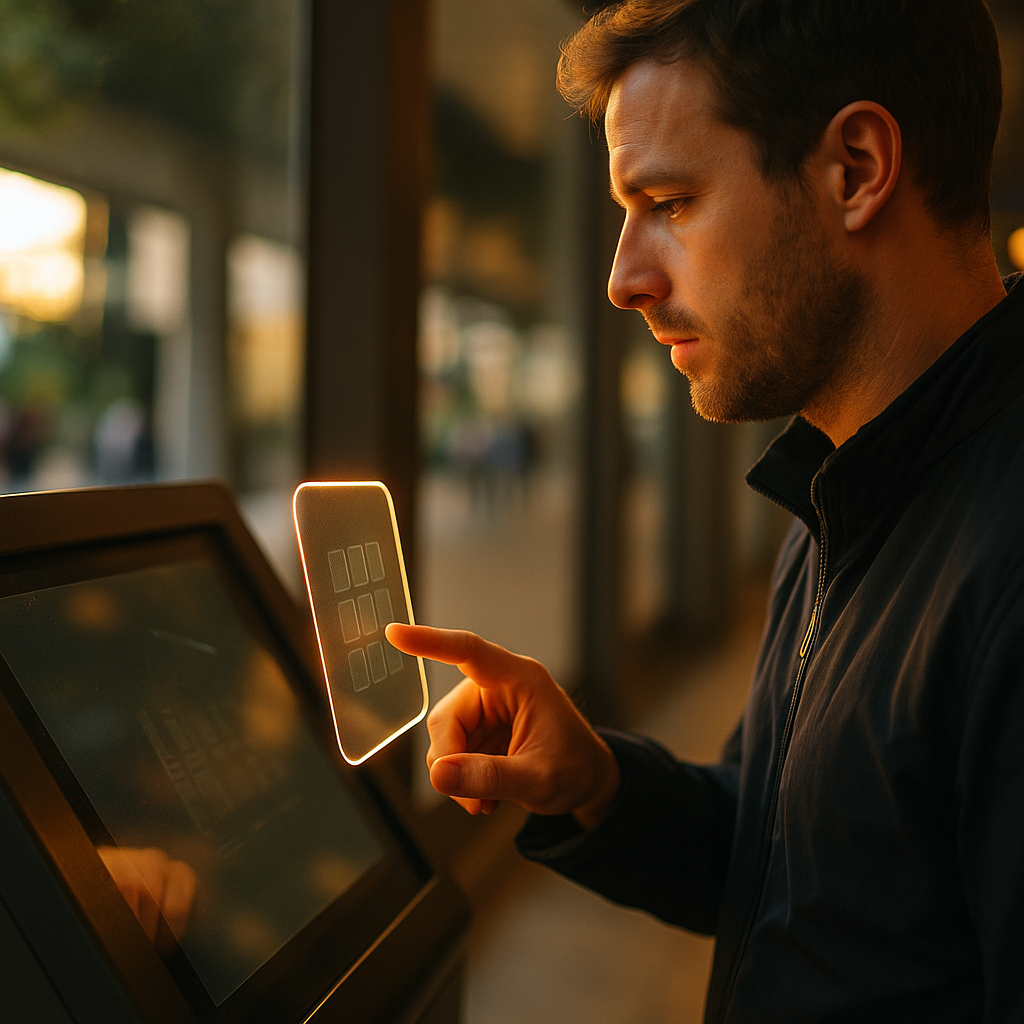
Ultra haptics is changing how people interact with digital interfaces by letting them feel buttons, sliders, and textures in mid air. Instead of tapping glass, users sense feedback through focused ultrasound that creates touch sensations without wearables. For brands, this means safer, cleaner, more memorable experiences across retail, automotive, and public spaces. What happens when your interface becomes tangible?
Contactless haptic feedback and how mid-air touch works
Mid-air touch relies on a simple idea: if you can precisely shape pressure on the skin, you can create the perception of touch. Ultra haptics systems use arrays of ultrasonic transducers that emit sound waves above the range of human hearing. By controlling the phase and amplitude of each transducer, the system focuses ultrasound into tiny points of pressure in space. When those points land on your hand, they stimulate mechanoreceptors in the skin, producing sensations that can feel like taps, pulses, ridges, or gentle vibrations.
What the user experiences is not “sound,” but a tactile illusion—similar to how a speaker’s low frequencies can be felt, except the energy is tightly focused and shaped. Designers can render a single “button click,” a moving bead that guides the finger, or a textured strip that communicates progress. This also enables in-air gestures with haptic confirmation: a user reaches into a sensing zone, a button outline appears on a display, and a click sensation confirms selection.
What makes it practical in 2025 is the convergence of three components:
- Sensing (computer vision or hand tracking) to locate the user’s hand and intent
- Rendering (haptic patterns) that map interaction states to tactile cues
- Content and UX that uses touch strategically, not constantly, to reduce fatigue
Readers often ask whether mid-air haptics “replace” physical controls. In practice, the best implementations combine modalities: visual prompts and audio cues support discoverability, while haptics deliver confirmation, boundaries, and guidance when eyes are busy or the environment is noisy.
Brand experience design and making interfaces feel like your brand
Brands already think in visual and sonic identities—color systems, typography, motion design, and audio logos. Mid-air haptics introduces a new layer: tactile branding. The goal is not to add novelty, but to create a consistent, recognizable feel across touchpoints.
To make an interface feel “on brand,” teams define a haptic language—a small set of tactile motifs that match the product personality and the context. For example:
- Precision brand: crisp, short clicks with sharp onset and clear edges for actions like “confirm” or “lock.”
- Wellness brand: smoother ramps and softer pulses that reinforce calm and safety.
- Performance brand: rhythmic patterns that imply momentum for navigation and progress.
Follow-up question: can people actually recognize tactile patterns? In controlled experiences, users can learn a small vocabulary quickly when patterns are distinct and mapped consistently. The design constraint is important: do not create dozens of haptic “words.” Build a handful of signals—confirm, cancel, boundary, error, guidance—and apply them across screens, kiosks, and vehicles.
Another practical question: where does mid-air haptics add real value? It excels when users can’t or shouldn’t touch surfaces, when visual attention is limited, or when physical controls would add maintenance and complexity. A brand interface that people can feel without contact can also become more inclusive, because haptics can support users who struggle with purely visual cues.
Touchless user interfaces in retail, automotive, and public spaces
Touchless user interfaces have moved from “nice idea” to operational advantage. In 2025, the strongest use cases combine hygiene, speed, and reduced hardware wear—while still delivering satisfying interaction.
Retail and experiential marketing can use mid-air haptics for product exploration that feels premium without requiring staff to sanitize demo devices constantly. Shoppers can browse options, compare features, and receive tactile confirmation of selections. When paired with large-format displays, brands can create guided interactions that feel physical even in open spaces.
Automotive UX is a particularly strong fit because drivers must keep eyes on the road. Mid-air haptics can provide confirmation for climate, media, or navigation controls without the driver needing to hunt for a button on a flat touchscreen. The principle is to reduce “visual demand”: tactile boundaries and clicks help users operate controls with fewer glances. For safety-critical contexts, designers should prioritize a limited set of high-confidence actions and validate them rigorously.
Public kiosks and transit benefit from durability. With fewer mechanical parts and less surface contact, operators can reduce maintenance and downtime. Mid-air haptics can also make accessibility features more discoverable—such as tactile prompts indicating where to hover a hand or how to confirm a selection.
Follow-up question: what about noisy, crowded environments? That is where haptics shines. Audio cues compete with ambient sound, and visual cues compete with clutter. Tactile confirmation goes directly to the user’s hand, often improving speed and confidence when the environment is chaotic.
Ultrasonic haptics technology stack and implementation considerations
Implementing ultrasonic haptics is not “plug and play.” It’s a system design exercise involving hardware placement, sensing reliability, content design, and ongoing calibration. Teams that treat it as a full product—rather than a demo—get the best results.
Hardware and placement determine the interaction zone, perceived strength, and comfort. Arrays are typically mounted behind glass, below a display, or within a console area. Designers must define where hands will hover and how users will discover the active zone. If the active area is too large, users feel lost; too small, and it feels finicky.
Hand tracking and latency are central to usability. Users quickly notice delay between a gesture and a tactile response. Keep interactions simple, avoid over-rendering, and ensure the system responds consistently across different hand sizes and positions. In practice, teams should measure end-to-end latency (sensing to haptic output) and tune until feedback feels immediate and stable.
Content rendering and ergonomics matter as much as the ultrasound array. Continuous haptics can fatigue the hand; short, informative cues tend to work best. Use haptics for:
- Confirmation (a “click” when an action commits)
- Boundaries (a tactile edge to prevent overshooting)
- Guidance (a moving pulse that leads the finger)
- Warnings (distinct patterns reserved for high importance)
Integration and validation should follow a repeatable process: prototype quickly, run user tests in realistic environments, and measure task completion time, error rates, and subjective confidence. To align with EEAT expectations, document decisions, testing methods, and accessibility outcomes so stakeholders can trace why the interface behaves as it does.
Accessibility, safety, and trust in mid-air interaction
Trust is a prerequisite for adoption. Users must believe the interface is safe, respectful, and dependable—especially when it involves unseen forces like ultrasound. Brands should treat safety and accessibility as core requirements, not add-ons.
Safety and comfort start with responsible power levels, careful placement, and conservative defaults. Users should be able to opt out of haptics or reduce intensity. Interfaces should also avoid startling sensations; reserve strong or rapid patterns for clear warnings and provide a predictable “rest” state.
Privacy and data handling are equally important because many systems use cameras or sensors for hand tracking. Be explicit about what is captured, how it is processed, and what is stored. In most deployments, brands can minimize risk by processing hand tracking locally and avoiding identity data entirely. Clear on-screen notices and straightforward settings build credibility.
Accessibility improves when haptics complements vision and hearing. For users with low vision, mid-air haptics can indicate where controls are and confirm actions. For users who cannot use audio cues, tactile cues can substitute for alerts. However, not everyone perceives haptics the same way. Provide redundancy (visual + tactile + optional audio), and test with diverse users, including those with reduced tactile sensitivity.
Follow-up question: will users understand what to do without instructions? Discoverability is a design challenge. Use clear visual prompts—such as a subtle hand icon or a highlighted interaction zone—and provide immediate, gentle feedback when a hand enters the active area. That small “welcome pulse” can teach the interaction model in seconds, without a tutorial.
Future of human-computer interaction and what brands should do next
The future of human-computer interaction is increasingly spatial: people interact with interfaces embedded in the environment, not confined to a device. Mid-air haptics fits this shift because it provides the missing ingredient—physicality—without requiring users to wear gloves, hold controllers, or touch shared surfaces.
Where this is going in 2025 is not “every screen becomes touchless.” Instead, expect targeted adoption where it solves specific problems:
- Eyes-busy scenarios (driving, industrial workstations, medical settings)
- High-traffic touchpoints (kiosks, airports, museums)
- Premium brand moments (product discovery, flagship retail, interactive installations)
What brands should do now is build capability deliberately:
- Define a haptic style guide alongside visual and motion guidelines
- Prototype one high-value journey (not a dozen disconnected effects)
- Set measurable UX goals (fewer errors, faster selection, higher confidence)
- Plan for operations (calibration, cleaning of surrounding surfaces, support)
The key strategic move is to treat touch as part of your brand interface system. When the tactile layer is coherent and purposeful, mid-air haptics stops being a gimmick and becomes an advantage users remember.
FAQs about Ultra Haptics and mid-air brand interfaces
-
What is Ultra Haptics, and is it the same as ultrasonic haptics?
Ultra Haptics commonly refers to mid-air haptic systems that use focused ultrasound to create tactile sensations on the skin without contact. “Ultrasonic haptics” is the broader technical term for the same approach: shaping ultrasonic waves to render touch in space.
-
Do users need to wear gloves or hold a device?
No. The main appeal is that the sensation is delivered directly to the hand in mid air. Users typically interact by hovering a hand within a defined zone that is tracked by sensors.
-
How do you design a mid-air button so it feels real?
Use a clear hover state, a tactile boundary to define the button area, and a short, crisp “click” at the moment of activation. Keep the pattern consistent across the interface so users learn what “confirm” feels like.
-
Is mid-air haptics hygienic compared with touchscreens?
It can reduce the need for shared-surface contact, which helps in high-traffic environments. However, hygiene still involves surrounding surfaces and overall kiosk design, so pair touchless interaction with sensible cleaning and layout choices.
-
Can mid-air haptics improve accessibility?
Yes, especially when it provides tactile confirmation and guidance for users who benefit from non-visual cues. The best practice is to offer redundant feedback (visual, tactile, optional audio) and test with diverse users.
-
What are the main risks or drawbacks?
Common challenges include poor discoverability if the interaction zone is unclear, inconsistent tracking in difficult lighting, and user fatigue if haptics are overused. These are solvable with careful placement, tight UX design, and real-world testing.
Mid-air haptics is moving interfaces from flat visuals to tangible experiences, giving brands a new channel to communicate trust, quality, and clarity. The best results come from pairing reliable sensing with a small, consistent haptic vocabulary that supports real user goals. In 2025, the winners will not be the loudest demos, but the simplest interactions people can feel and finish.
Top Influencer Marketing Agencies
The leading agencies shaping influencer marketing in 2026
Agencies ranked by campaign performance, client diversity, platform expertise, proven ROI, industry recognition, and client satisfaction. Assessed through verified case studies, reviews, and industry consultations.
Moburst

-
2

The Shelf
Boutique Beauty & Lifestyle Influencer AgencyA data-driven boutique agency specializing exclusively in beauty, wellness, and lifestyle influencer campaigns on Instagram and TikTok. Best for brands already focused on the beauty/personal care space that need curated, aesthetic-driven content.Clients: Pepsi, The Honest Company, Hims, Elf Cosmetics, Pure LeafVisit The Shelf → -
3

Audiencly
Niche Gaming & Esports Influencer AgencyA specialized agency focused exclusively on gaming and esports creators on YouTube, Twitch, and TikTok. Ideal if your campaign is 100% gaming-focused — from game launches to hardware and esports events.Clients: Epic Games, NordVPN, Ubisoft, Wargaming, Tencent GamesVisit Audiencly → -
4

Viral Nation
Global Influencer Marketing & Talent AgencyA dual talent management and marketing agency with proprietary brand safety tools and a global creator network spanning nano-influencers to celebrities across all major platforms.Clients: Meta, Activision Blizzard, Energizer, Aston Martin, WalmartVisit Viral Nation → -
5

The Influencer Marketing Factory
TikTok, Instagram & YouTube CampaignsA full-service agency with strong TikTok expertise, offering end-to-end campaign management from influencer discovery through performance reporting with a focus on platform-native content.Clients: Google, Snapchat, Universal Music, Bumble, YelpVisit TIMF → -
6

NeoReach
Enterprise Analytics & Influencer CampaignsAn enterprise-focused agency combining managed campaigns with a powerful self-service data platform for influencer search, audience analytics, and attribution modeling.Clients: Amazon, Airbnb, Netflix, Honda, The New York TimesVisit NeoReach → -
7

Ubiquitous
Creator-First Marketing PlatformA tech-driven platform combining self-service tools with managed campaign options, emphasizing speed and scalability for brands managing multiple influencer relationships.Clients: Lyft, Disney, Target, American Eagle, NetflixVisit Ubiquitous → -
8

Obviously
Scalable Enterprise Influencer CampaignsA tech-enabled agency built for high-volume campaigns, coordinating hundreds of creators simultaneously with end-to-end logistics, content rights management, and product seeding.Clients: Google, Ulta Beauty, Converse, AmazonVisit Obviously →