


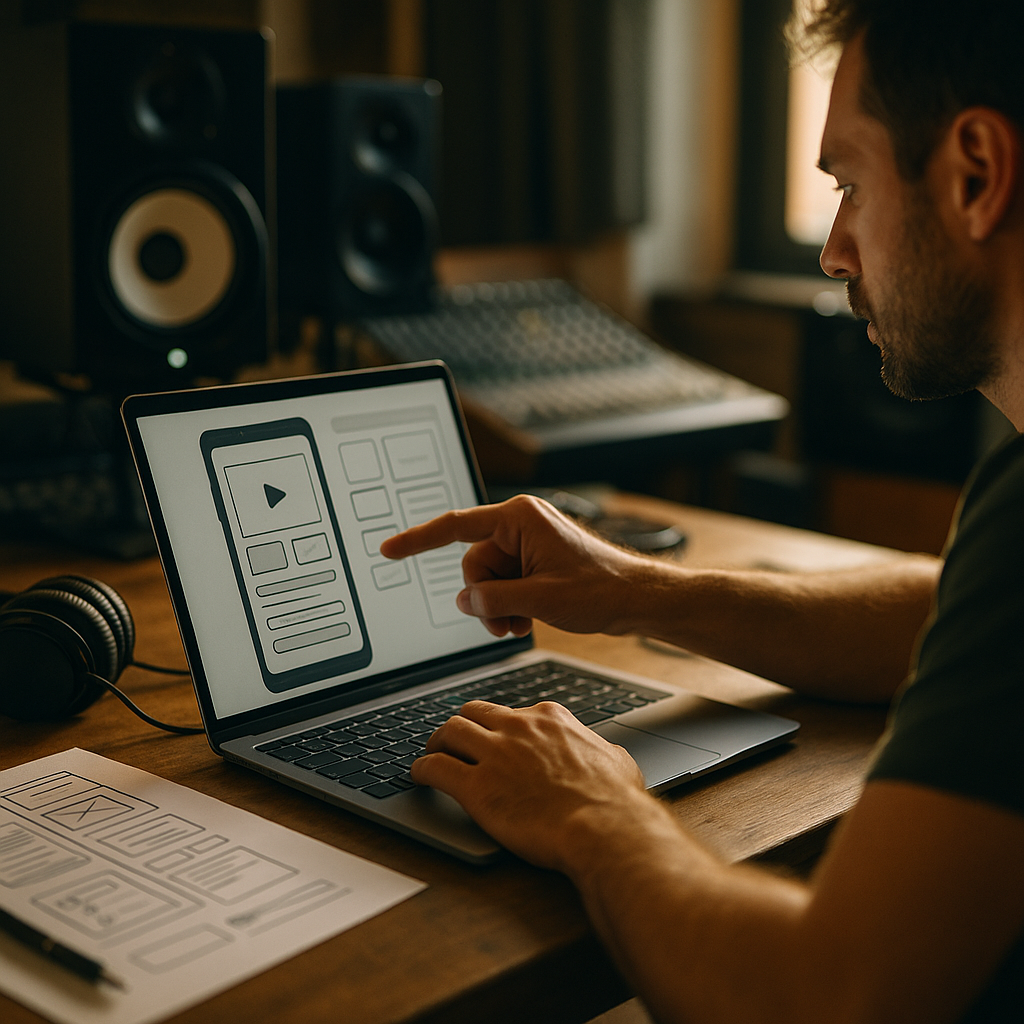
People don’t fall in love with products only because they work; they fall in love because they feel right. The thud of a Bentley door is engineered to signal safety, precision, and calm through sound and vibration. In 2025, teams can apply that same rigor to digital products by treating feedback as crafted acoustics, not afterthought UI—and the payoff is bigger than you think…
Acoustic engineering principles for UX feedback
Acoustic engineers shape perception by controlling frequency, decay, loudness, and resonance. The “thud” people admire is not an accident; it is a tuned blend of low-frequency energy, short decay, and controlled vibrations that communicate solidity. Digital products can mirror this with intentional feedback design across sound, motion, and haptics.
Start with a “signal, not noise” mindset. Every feedback event should answer a user question: Did it work? What changed? What should I do next? Acoustic engineering offers a useful framework:
- Frequency mapping: Lower tones feel weighty and stable; higher tones feel light and alerting. Translate this into UI by matching “importance” to perceived weight (e.g., a payment success sound should feel grounded, not chirpy).
- Attack and decay: A sharp attack grabs attention; a quick decay avoids fatigue. In UI, fast micro-animations with clean endings reduce cognitive drag.
- Dynamic range: Loudness variation conveys hierarchy. In UX, reserve intense feedback for high-stakes actions (delete, submit, pay), and keep routine interactions subtle.
- Masking and interference: In audio, competing frequencies blur meaning. In UI, competing signals (toasts + modals + badges) create confusion. Choose one primary channel per moment.
Follow-up question users implicitly ask: “Why do I need sound at all?” You often don’t. Acoustic thinking is broader than audio: it’s about how feedback lands. If your product is mostly silent (as many should be), apply the same craft to haptics, motion, and visual cadence.
Sound design for UX: microinteractions that feel premium
When teams add sound, they often add it late, inconsistently, or too loudly. Premium sound design for UX treats audio as a product surface with clear rules, accessibility controls, and measurable outcomes.
Build a small, purposeful sound palette. Limit yourself to a handful of “earcons” (functional sounds) aligned to core states:
- Confirmation: low-mid tone, short tail, calm timbre.
- Error: distinct but not punishing; avoid harsh high-frequency spikes that can feel alarming or inaccessible.
- Warning/high risk: slightly longer duration, more presence, but still restrained.
- Progress/ongoing: generally avoid loops; prefer subtle ticks or purely visual progress unless safety-critical.
Make sounds consistent with visual semantics. If your UI uses green for success, the success sound should also “feel” successful: stable, resolved, not ambiguous. Similarly, if an action is reversible, the sound should be lighter than for irreversible actions. This keeps the product honest and reduces accidental fear responses.
Respect context by default. In 2025, many users operate in shared spaces. Your defaults should anticipate silence:
- Ship with audio off unless the product category clearly expects audio (e.g., media creation, music learning).
- Provide granular toggles: master sound, critical alerts, keyboard/typing sounds, and haptics.
- Support system-level settings and do-not-disturb behaviors.
EEAT note (trust): Be explicit in your UI about what audio is used for and why. Users trust products that don’t surprise them, especially during payments, authentication, or sensitive workflows.
Haptic feedback design: translating “thud” into touch
The closest digital equivalent of a door “thud” is haptics: a short, damped pulse that signals completion and stability. Haptic feedback design can turn abstract events into felt certainty, particularly on mobile and wearables.
Design haptics like a mechanical system. A satisfying “thud” has a clear onset and controlled settling. Aim for:
- Short duration: brief pulses feel intentional; long vibrations feel like alerts.
- Distinct patterns: one pulse for confirm, two for error, a gentle ramp for long-press activation.
- Matched timing: sync haptic onset with the exact state change, not the button press, when the system can respond quickly. If a network call is involved, haptic on “request accepted” plus visual progress is often more truthful than haptic on tap.
Anticipate device variation. Haptic motors differ widely. Instead of hard-coding one intensity, use platform APIs that scale to device capabilities. Then validate on a small set of real devices across tiers to avoid “ghost feedback” (too subtle to notice) or “buzz saw” feedback (too aggressive).
Accessibility and user control: Provide a clear haptics toggle and honor OS-level reduced motion and vibration settings. This is not only inclusive; it reduces support issues and improves perceived quality.
Follow-up question product teams ask: “Is haptics worth it for conversion?” It’s rarely a single lever. The value is cumulative: better error prevention, higher confidence, and faster task completion. Measure it through task success rate, time-to-complete, undo usage, and abandonment at critical steps.
Sonic branding strategy: building trust and recognition
Brands already manage typography, color, and motion. Sonic branding strategy extends that discipline to the auditory and tactile layer, creating recognition without being intrusive. A luxury “thud” works because it aligns with brand promises: safety, craftsmanship, and composure. Your digital equivalents should align with your product’s promise.
Define your brand’s “acoustic adjectives.” Pick 3–5 traits and translate them into design constraints:
- Calm: avoid sharp transients; prefer rounded timbres and gentle envelopes.
- Fast: short cues, crisp timing, minimal reverb.
- Secure: stable, lower-frequency confirmations; consistent patterns for sensitive actions.
- Playful: higher tones, brighter timbres, but controlled repetition to avoid annoyance.
Make the system coherent across channels. If your success moment uses a subtle sound, mirror it with a matching micro-animation and haptic pulse. Users perceive the “sum,” not the parts.
Keep brand honest in high-stakes flows. Payments, medical data, and identity checks require clarity over personality. Use branded cues sparingly and prioritize unmistakable status feedback. Trust is earned when users can predict outcomes.
EEAT note (authority): Document the rationale behind cues in a small internal spec: what each cue means, when it triggers, and how it scales with volume/haptics settings. This prevents random additions that dilute meaning.
UX usability testing with sound: metrics, methods, and ethics
If you treat feedback as engineered perception, you should test it like engineered perception. UX usability testing with sound requires controlling variables and measuring comprehension, not just preference.
What to test:
- Comprehension: Can users correctly interpret the cue (success vs error vs warning) without reading text?
- Timing tolerance: Does a 100–300 ms delay change perceived responsiveness?
- Annoyance and fatigue: How does perception change after repeated use (e.g., 50 interactions in a session)?
- Accessibility outcomes: Do cues help users with low vision or attention limits complete tasks more reliably?
- Context switching: Do cues still make sense in noisy environments, silent environments, and with headphones?
How to test efficiently:
- A/B test at critical moments: Compare a “quiet” baseline to a crafted multisensory set (visual + motion + haptic), keeping copy and layout stable.
- Use task-based protocols: Ask participants to complete real tasks (transfer money, book an appointment, recover a password) and capture errors, retries, and help-seeking behavior.
- Log “state certainty” signals: Measure immediate reversals (undo), repeated taps, back navigation after submit, and support article clicks as proxies for uncertainty.
Ethics and user trust: Do not use sound or haptics to manipulate users into unintended actions. Feedback should clarify system state, not pressure decisions. Provide easy opt-outs and never make critical information available only via sound.
Follow-up question leaders ask: “How do we justify the effort?” Tie results to business outcomes: fewer failed transactions, reduced support tickets, improved task completion, and improved retention in workflows where confidence matters (onboarding, checkout, account security).
Design system implementation: scalable multisensory tokens
Most teams fail at premium feedback because it isn’t scalable. A few nice sounds in one feature do not survive product growth. Treat sound and haptics like a design system layer with reusable tokens, just like color and typography.
Create multisensory tokens. Define a compact set of tokens mapped to intent:
- State tokens: success, error, warning, info, neutral.
- Interaction tokens: tap, long-press, drag-lock, toggle, selection change.
- Priority tokens: subtle, standard, critical.
Specify behavior, not just assets. Each token should include:
- Trigger rules: what event fires it and what suppresses it (e.g., repeated taps within 500 ms).
- Fallbacks: what happens when audio is muted or haptics are disabled.
- Platform guidance: recommended native API usage to match OS conventions.
Prevent over-feedback. A “Bentley-like” experience is controlled and quiet. Add guardrails:
- One primary feedback cue per action, plus an optional secondary cue for accessibility.
- No sound for purely decorative animations.
- No success fanfare for reversible, low-impact actions.
Operationalize quality. Include feedback QA in release checklists: verify timing, volume normalization, haptic intensity, and correctness across common device settings. This is where perceived quality is won or lost.
FAQs
What does “the thud of a Bentley door” mean in digital UX terms?
It’s a metaphor for engineered reassurance: a short, controlled sensory signal that communicates solidity and correctness. In digital UX, that translates into intentional sound, motion, and haptic feedback that makes system state unmistakable and calm.
Should every app use sound effects?
No. Many products should default to silence and rely on visual and haptic cues. Use audio only when it improves comprehension, accessibility, or safety, and always provide clear controls and respect system settings.
How do we choose between sound, haptics, and animation?
Pick the channel that best matches context: animation for continuous guidance, haptics for private confirmation on mobile, and sound for situations where eyes may be away from the screen or accessibility benefits are clear. Avoid stacking all three unless the moment is high-stakes and brief.
What are the biggest mistakes teams make with UX audio?
Common issues include inconsistent meanings (same sound for different outcomes), overuse (too many cues), poor timing (sound on tap instead of on confirmed state), ignoring accessibility settings, and shipping without a system so features add random sounds over time.
How can we measure whether premium feedback improves the product?
Measure task success rate, time-to-complete, repeated taps, undo usage, abandonment at submit steps, and support contact rates. Pair quantitative metrics with usability sessions that test cue comprehension and fatigue after repeated interactions.
How do we keep feedback “premium” without feeling gimmicky?
Use restraint, align cues to real state changes, keep durations short, and ensure every cue has a clear meaning. Premium feedback is consistent, quiet, and truthful—users notice it most when it prevents confusion.
Premium products earn trust through controlled signals, not louder ones. The thud of a Bentley door works because it’s engineered: clear onset, quick settling, and a feeling of certainty. Apply the same acoustic mindset to digital UX by designing a coherent system of visual, haptic, and optional audio cues tied to real state changes. Make it measurable, accessible, and restrained—and users will feel the quality before they can explain it.
Top Influencer Marketing Agencies
The leading agencies shaping influencer marketing in 2026
Agencies ranked by campaign performance, client diversity, platform expertise, proven ROI, industry recognition, and client satisfaction. Assessed through verified case studies, reviews, and industry consultations.
Moburst

-
2

The Shelf
Boutique Beauty & Lifestyle Influencer AgencyA data-driven boutique agency specializing exclusively in beauty, wellness, and lifestyle influencer campaigns on Instagram and TikTok. Best for brands already focused on the beauty/personal care space that need curated, aesthetic-driven content.Clients: Pepsi, The Honest Company, Hims, Elf Cosmetics, Pure LeafVisit The Shelf → -
3

Audiencly
Niche Gaming & Esports Influencer AgencyA specialized agency focused exclusively on gaming and esports creators on YouTube, Twitch, and TikTok. Ideal if your campaign is 100% gaming-focused — from game launches to hardware and esports events.Clients: Epic Games, NordVPN, Ubisoft, Wargaming, Tencent GamesVisit Audiencly → -
4

Viral Nation
Global Influencer Marketing & Talent AgencyA dual talent management and marketing agency with proprietary brand safety tools and a global creator network spanning nano-influencers to celebrities across all major platforms.Clients: Meta, Activision Blizzard, Energizer, Aston Martin, WalmartVisit Viral Nation → -
5

The Influencer Marketing Factory
TikTok, Instagram & YouTube CampaignsA full-service agency with strong TikTok expertise, offering end-to-end campaign management from influencer discovery through performance reporting with a focus on platform-native content.Clients: Google, Snapchat, Universal Music, Bumble, YelpVisit TIMF → -
6

NeoReach
Enterprise Analytics & Influencer CampaignsAn enterprise-focused agency combining managed campaigns with a powerful self-service data platform for influencer search, audience analytics, and attribution modeling.Clients: Amazon, Airbnb, Netflix, Honda, The New York TimesVisit NeoReach → -
7

Ubiquitous
Creator-First Marketing PlatformA tech-driven platform combining self-service tools with managed campaign options, emphasizing speed and scalability for brands managing multiple influencer relationships.Clients: Lyft, Disney, Target, American Eagle, NetflixVisit Ubiquitous → -
8

Obviously
Scalable Enterprise Influencer CampaignsA tech-enabled agency built for high-volume campaigns, coordinating hundreds of creators simultaneously with end-to-end logistics, content rights management, and product seeding.Clients: Google, Ulta Beauty, Converse, AmazonVisit Obviously →