


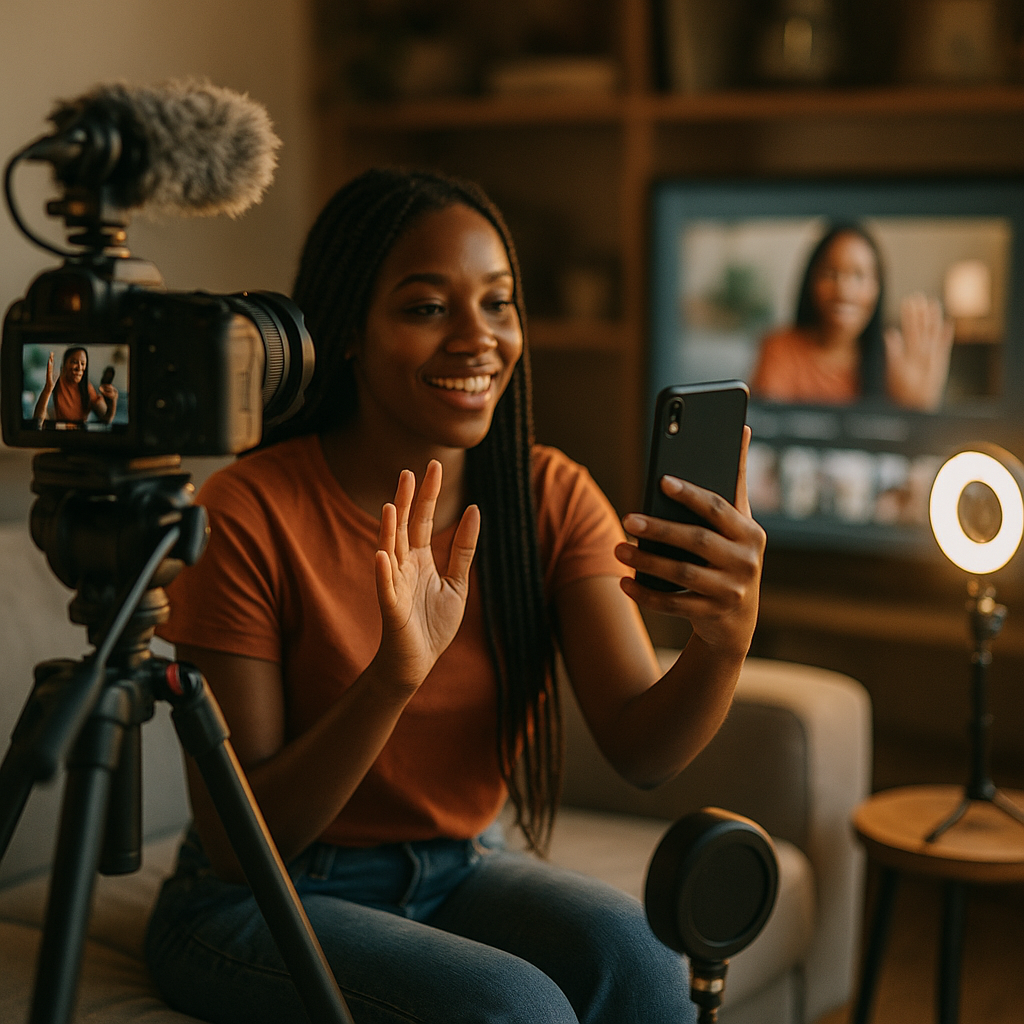
CTV ad spend crossed $30 billion in the U.S. this year, yet most brands still treat connected TV and short-form social as separate production budgets. That’s a costly mistake. Brands designing creator sessions that generate assets suitable for CTV and short-form social simultaneously are compressing timelines, cutting production costs, and building cross-channel frequency that neither channel can deliver alone.
Why These Two Channels Are Converging
The audience behavior argument is straightforward: a viewer sees your 30-second creator ad on Hulu, then encounters the same creator’s 15-second Reel three hours later. That sequential exposure compounds recall. Nielsen research has consistently shown that cross-channel frequency — especially when the creative feels cohesive rather than repurposed — lifts purchase intent significantly more than either channel in isolation.
The production argument is just as compelling. CTV inventory now includes vertical ad placements on platforms like Peacock and Paramount+, and eMarketer’s CTV forecasts confirm that mobile-first viewers represent the fastest-growing segment of streaming audiences. That means a 9:16 creator video shot with broadcast-quality audio and clean headroom is no longer just a social asset. With the right technical specs, it qualifies for CTV placement out of the box.
A creator session designed exclusively for social will almost never produce a CTV-ready asset by accident. The reverse is also true. The only solution is intentional dual-format briefing from day one.
The Technical Floor for CTV Eligibility
Before you brief a single creator, your production team needs to internalize the technical requirements that separate “looks great on a phone” from “clears CTV ad server requirements.”
- Resolution: Minimum 1920×1080 for horizontal CTV; 1080×1920 for vertical CTV inventory. Shoot in 4K and downscale. Never upscale.
- Audio: Stereo mix at -14 LUFS for streaming; mono-compatible. Platform social feeds are more forgiving, but CTV will reject poorly normalized audio.
- Safe zones: CTV requires a 10% safe zone on all four edges. Social formats demand UI-safe space at top and bottom for overlays. Design both into your shot composition simultaneously.
- Duration architecture: Shoot a 60-second master. Edit to 30-second and 15-second cuts. The 30 runs on CTV; the 15 runs as a Reel or TikTok. Both share the same creator, same setting, same narrative hook.
- Closed captioning: Required for CTV delivery; also drives 12-15% higher completion rates on muted social feeds according to HubSpot’s video research.
Your production brief must specify these parameters before a creator ever steps in front of a camera. For a detailed spec breakdown across formats, the guide on OTT vertical video specs is a practical reference for teams building their technical checklists.
Structuring the Production Session Itself
Most creator shoots fail the dual-format test not because of equipment, but because of session structure. Here’s how to fix that.
Block the shoot in two distinct phases. Phase one: capture the CTV master. This is a scripted or tightly guided sequence with broadcast lighting, a clean background or controlled environment, and branded lower-thirds baked into post. The creator delivers the full narrative arc — problem, product, resolution — in 60 seconds. No jump cuts. No overlaid text that would violate CTV safe zones. This is the version your media team will submit to MNTN, The Trade Desk, or direct-sold streaming buys.
Phase two: the social capture sprint. Same creator, same location, but now the brief opens up. Capture three to five vertical takes with natural energy, ad-libbed hooks, and fast cuts. Let the creator do their thing. These become TikToks, Reels, and YouTube Shorts. They carry the same brand message but in a format native to each platform’s algorithmic preferences. For teams looking to tighten this briefing discipline, the framework in CTV-ready creator briefs covers the brief architecture in detail.
One practical tip: shoot phase two before phase one when possible. Creators are looser, more spontaneous, and their authentic energy is better captured before they’ve run through a polished scripted take three times.
Briefing Creators for Dual-Format Output
Creators who work primarily in short-form social often have no intuition for what CTV requires. That’s not a criticism; it’s a briefing problem. The brand or agency is responsible for closing that knowledge gap before the shoot day, not correcting it in post.
Your brief should explicitly communicate three things the creator would not otherwise know. First, that certain visual choices (busy backgrounds, rapid zooms, screen-in-screen text) will disqualify the CTV cut. Second, that the pacing for the CTV master needs to allow for mid-roll insertion points. Third, that the hook — the first three seconds — must work without sound for social and with sound for CTV. Those are genuinely different creative requirements, and creators who understand them deliver more usable footage.
The TikTok, Reels, and OTT brief is worth reviewing as a structural template here. It addresses how to communicate format constraints without constraining the creator’s voice — which is the real skill in dual-format briefing.
Also consider how you’re handling multi-format asset planning at the campaign level. Single-shoot, multi-platform thinking changes how you allocate creator fees, post-production budgets, and media placement timelines.
Post-Production: Where Dual-Format Campaigns Win or Lose
Shooting dual-format is only half the equation. Post-production is where most programs collapse under the weight of format divergence.
Establish a clear asset matrix before the shoot. That matrix should specify: which footage becomes the CTV 30, which becomes the CTV 15, which becomes the platform-native social cuts, and which b-roll goes into a library for repurposing. Assign a dedicated editor for CTV delivery (who understands broadcast specs and ad server submission) and a separate editor for social (who understands platform-native pacing and trending audio considerations).
AI-assisted editing tools are accelerating this workflow. Platforms like Descript and Opus Clip can automate rough social cuts from a master file, while your broadcast editor focuses on the technically precise CTV deliverable. This parallel workflow can compress post timelines from three weeks to five to seven days.
For brands running high-volume creator programs, the AI micro-asset generation guide covers how to build governance frameworks that keep AI-assisted editing consistent with brand standards across both CTV and social outputs.
Compliance and Rights: The CTV Wrinkle
Usage rights negotiations look completely different when CTV placement is in scope. Most standard creator contracts cover organic posting and paid social amplification. CTV is a broadcast-adjacent placement, and many creators (or their representatives) will negotiate separate licensing fees for that inventory. Budget accordingly.
The FTC’s disclosure guidelines apply to CTV in the same way they apply to social: if it’s paid, it must be disclosed. CTV ad servers can accommodate disclosure overlays, and most DSPs require that the ad be labeled as a paid promotion. Ensure your legal and compliance review covers both channels simultaneously, not sequentially.
Usage rights for CTV are a separate negotiation from social amplification rights. Assuming they’re bundled is one of the most expensive mistakes brand teams make in creator-to-CTV campaigns.
Additionally, verify music licensing. Background music cleared for social via a platform’s commercial library is almost never cleared for CTV broadcast. Use royalty-free music licensed for all distribution channels, or commission original audio. This is a small line item that prevents significant post-production re-work.
Measuring the Combined Investment
Attribution across CTV and social is still imperfect, but it’s improving. Identity-based measurement providers like LiveRamp and iSpot.tv allow brands to connect CTV exposure data with downstream social engagement and conversion signals. That cross-channel view is what turns dual-format production from a cost-efficiency play into a provable revenue driver.
Set separate KPIs for each channel (completion rate and brand lift for CTV; CPE and conversion rate for social) while tracking a unified metric at the campaign level: incremental reach and frequency against your target audience. That unified view is what justifies the dual-format production investment to finance and leadership.
For teams building out creator briefs with measurable performance goals attached, the framework in performance ROI creator briefs provides a CPA and attribution structure that adapts to multi-channel campaigns. And for teams managing large pools of creators across a campaign, the vertical short-form video guide addresses how to standardize output across creators without sacrificing authenticity.
Check your next creator contract before the brief goes out: if CTV isn’t listed as an approved placement channel, you’re one shoot day away from assets you can’t actually use.
FAQs
What makes a creator video technically eligible for CTV ad inventory?
CTV ad inventory typically requires a minimum resolution of 1080p (1920×1080 for horizontal, 1080×1920 for vertical), stereo audio normalized to -14 LUFS, a 10% safe zone on all edges, and a clean edit without social-native overlays or on-screen text that violates broadcast formatting standards. Many CTV ad servers, including those used by MNTN and The Trade Desk, also require closed captioning files submitted alongside the video asset.
Can the same creator shoot produce both a CTV-ready and a social-native asset in one session?
Yes, but only if the production session is structured deliberately. The standard approach is to capture a scripted 60-second master (suitable for CTV editing) followed by a separate social capture phase where the creator delivers more spontaneous, platform-native takes. Attempting to repurpose a single take for both formats without this structure almost always results in assets that are technically or stylistically unsuitable for at least one channel.
How should brands negotiate creator contracts when CTV placement is planned?
CTV is treated as a broadcast-adjacent placement by most talent representatives, which means usage rights for CTV inventory are typically negotiated separately from social amplification rights. Brands should itemize CTV usage explicitly in the contract, specify the ad networks and streaming platforms where the content will run, define the usage window, and budget for a licensing fee that reflects the broader reach of CTV placement. Music clearances must also be verified for all-distribution use before production begins.
What attribution tools work best for measuring CTV and social creator campaigns together?
Identity-based measurement platforms like LiveRamp and iSpot.tv are the most widely used for connecting CTV exposure data with downstream social and conversion signals. Brands should establish separate channel-level KPIs (completion rate and brand lift for CTV; CPE and conversion rate for social) while also tracking a unified incremental reach and frequency metric across both channels to justify the combined production investment.
Does the FTC require disclosures on creator content running as CTV ads?
Yes. The FTC’s endorsement guidelines apply to paid creator content regardless of the distribution channel. When creator content runs as a paid CTV ad, it must be clearly labeled as a paid promotion. Most CTV ad servers and DSPs require disclosure overlays as part of their submission requirements. Brands should ensure their legal and compliance review covers both CTV and social placements simultaneously rather than treating them as separate review processes.
Top Influencer Marketing Agencies
The leading agencies shaping influencer marketing in 2026
Agencies ranked by campaign performance, client diversity, platform expertise, proven ROI, industry recognition, and client satisfaction. Assessed through verified case studies, reviews, and industry consultations.
Moburst

-
2

The Shelf
Boutique Beauty & Lifestyle Influencer AgencyA data-driven boutique agency specializing exclusively in beauty, wellness, and lifestyle influencer campaigns on Instagram and TikTok. Best for brands already focused on the beauty/personal care space that need curated, aesthetic-driven content.Clients: Pepsi, The Honest Company, Hims, Elf Cosmetics, Pure LeafVisit The Shelf → -
3

Audiencly
Niche Gaming & Esports Influencer AgencyA specialized agency focused exclusively on gaming and esports creators on YouTube, Twitch, and TikTok. Ideal if your campaign is 100% gaming-focused — from game launches to hardware and esports events.Clients: Epic Games, NordVPN, Ubisoft, Wargaming, Tencent GamesVisit Audiencly → -
4

Viral Nation
Global Influencer Marketing & Talent AgencyA dual talent management and marketing agency with proprietary brand safety tools and a global creator network spanning nano-influencers to celebrities across all major platforms.Clients: Meta, Activision Blizzard, Energizer, Aston Martin, WalmartVisit Viral Nation → -
5

The Influencer Marketing Factory
TikTok, Instagram & YouTube CampaignsA full-service agency with strong TikTok expertise, offering end-to-end campaign management from influencer discovery through performance reporting with a focus on platform-native content.Clients: Google, Snapchat, Universal Music, Bumble, YelpVisit TIMF → -
6

NeoReach
Enterprise Analytics & Influencer CampaignsAn enterprise-focused agency combining managed campaigns with a powerful self-service data platform for influencer search, audience analytics, and attribution modeling.Clients: Amazon, Airbnb, Netflix, Honda, The New York TimesVisit NeoReach → -
7

Ubiquitous
Creator-First Marketing PlatformA tech-driven platform combining self-service tools with managed campaign options, emphasizing speed and scalability for brands managing multiple influencer relationships.Clients: Lyft, Disney, Target, American Eagle, NetflixVisit Ubiquitous → -
8

Obviously
Scalable Enterprise Influencer CampaignsA tech-enabled agency built for high-volume campaigns, coordinating hundreds of creators simultaneously with end-to-end logistics, content rights management, and product seeding.Clients: Google, Ulta Beauty, Converse, AmazonVisit Obviously →