


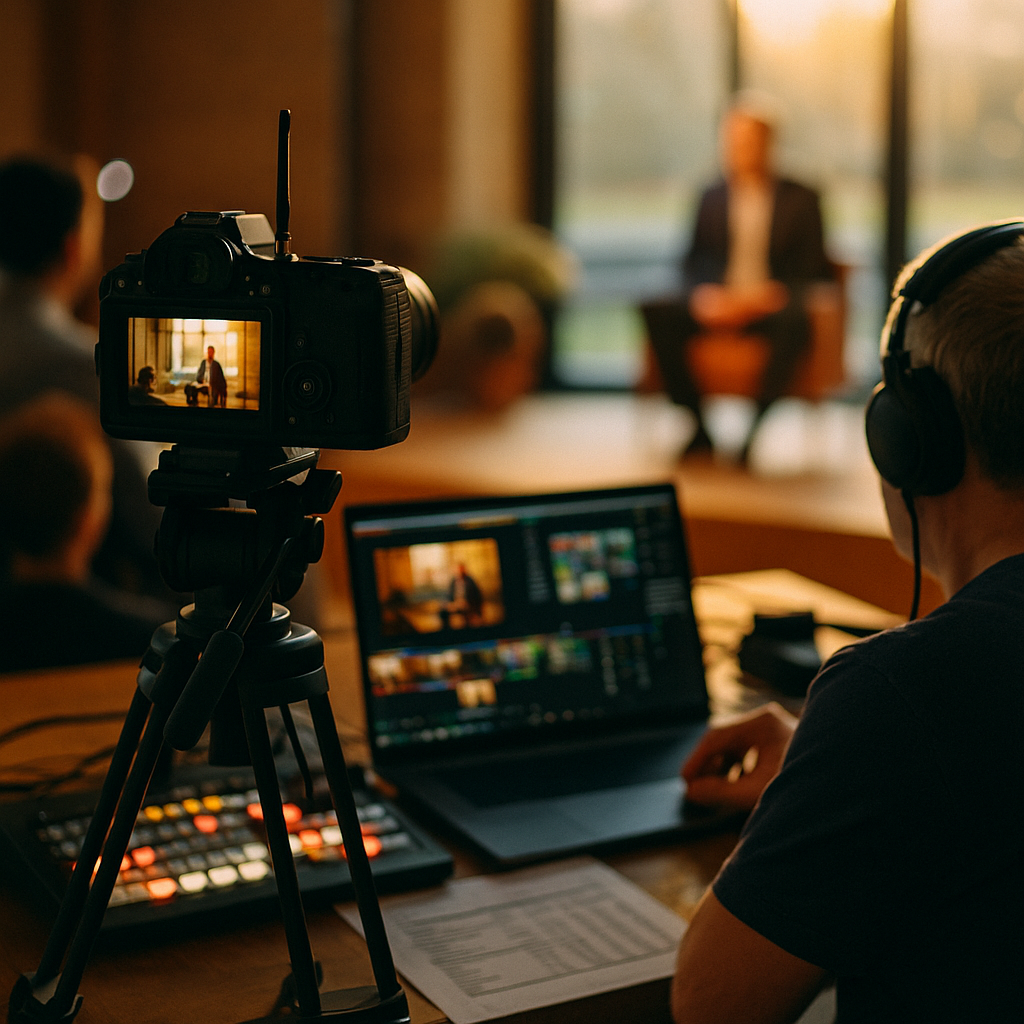
Fifty two percent. That’s the share of brand content initiatives now built around live streaming, according to recent creator economy surveys, and it’s forcing a reckoning in budget meetings everywhere. If your media plan still treats live as a one-off event line item, you’re planning for a channel that no longer exists in that form. Budgeting for always on live streaming means rethinking cadence, headcount, and risk tolerance, not just reallocating a few thousand dollars from static content.
Marketing leaders who grew up on quarterly campaign calendars are suddenly managing something closer to a broadcast network. That shift has real financial consequences, and most finance teams haven’t caught up.
Why Live Streaming Ate Half the Content Calendar
Live commerce and creator led streaming didn’t sneak up on anyone. TikTok Shop, Amazon Live, Whatnot, and YouTube’s expanded live tools have spent two years training audiences to expect real time, unscripted brand presence. The appeal is obvious: lower production cost per hour of content, higher perceived authenticity, and direct shopping triggers baked into the stream itself.
But “lower cost per hour” is misleading if you only count production. Always on live streaming isn’t a campaign, it’s an operating model. You’re not buying a video, you’re staffing a channel that runs daily or near daily, with creators, moderators, and a commerce stack behind it.
Treating live streaming as a discrete campaign line item instead of a standing operational channel is the single biggest budgeting mistake brands make right now.
This is the same mental shift covered in creator account budgeting, where creators move from project fees to retained channels. Live streaming just makes that shift unavoidable, because the format itself demands continuity.
What “Always On” Actually Costs
Here’s where budgets tend to go sideways. Teams price out a single live event, a two hour product launch stream, and multiply by fifty two weeks. That math is wrong on almost every axis.
- Creator retainers scale with frequency, not linearly with hours. A creator doing three streams a week commands a different rate structure than one doing a monthly special, and the premium isn’t proportional.
- Moderation and compliance staffing becomes continuous. Someone has to watch chat, flag claims, and manage brand safety in real time, every single stream, not just the big ones.
- Platform fees compound. TikTok Shop and Amazon Live both take commission on live-driven sales, which eats into the margin assumptions your finance team built around static content.
- Production tooling needs redundancy. One dropped stream, one bad internet connection, one platform outage during a high-traffic window, and you’ve lost revenue you can’t easily recover.
That last point deserves its own conversation, and we’ve covered the contingency side in vendor risk planning for platform outages. Always on live streaming multiplies your exposure to exactly the kind of outage that playbook addresses.
Building the Line Item: A Realistic Framework
Most brands we talk to are still estimating live streaming costs the way they’d estimate a sponsored post: creator fee, maybe a production add-on, done. That approach collapses the moment you go from occasional to always on.
A more realistic framework splits the budget into four buckets:
- Creator retainer or revenue share. Decide upfront whether you’re paying flat retainers, commission on live sales, or a hybrid. Our breakdown on structuring creator payment terms is useful here, since live commerce almost always benefits from a revenue share component tied to actual sales, not just appearance fees.
- Platform and commission costs. Budget this as a percentage of projected live GMV, not a flat number. Platforms update commission structures periodically, so check current rates on TikTok’s advertiser resources before locking annual projections.
- Operations and moderation staffing. This is the line most brands underfund. Someone needs to own real time compliance, especially around claims made live, which can’t be edited after the fact the way scripted content can.
- Technical redundancy and contingency reserve. A small percentage held back for outages, creator no-shows, or platform algorithm shifts that tank discoverability overnight.
How Often Should You Actually Stream?
This is the question that quietly bankrupts a lot of pilot programs. Brands see competitor streaming daily and assume matching cadence is table stakes. It isn’t, and chasing frequency without an audience base to support it just burns budget on empty rooms.
Start by looking at what your audience actually sustains. A brand with a highly engaged community of a few hundred thousand might get more value from three high-production weekly streams than daily low-effort ones. This echoes the creative fatigue research in budgeting influencer refresh cycles, where overexposure degrades performance well before most teams notice the drop in a dashboard.
A practical cadence test: run four weeks at your proposed frequency, track watch time decay and conversion per stream, then adjust. Don’t commit twelve months of retainer budget before you’ve validated the rhythm with six to eight weeks of real data.
Creator Selection Changes When Streaming Is Continuous
One-off sponsored content tolerates a creator who’s great on camera but inconsistent. Always on live streaming does not. You need creators who can hold an audience’s attention for forty five minutes to two hours, handle unscripted questions about your product, and stay on message without a script to fall back on.
That’s a narrower pool than your typical influencer roster, and it changes how you vet talent. The scoring frameworks in creator fit scorecards and audience, message, creator fit both apply directly, but for live specifically, add a column for on-camera stamina and improvisational product knowledge. A creator who nails a 60 second clip might freeze or ramble during an hour of live Q&A, and you won’t find that out until you’ve already signed a quarterly retainer.
Measurement: What Counts as ROI on a Stream?
Static content ROI debates are tired, but live streaming introduces a new wrinkle: a lot of the value happens in real time and doesn’t show up cleanly in standard attribution. Chat engagement, live add-to-cart spikes, and repeat viewer rates all matter, but they don’t always map to the last click models most finance teams still default to.
Lean on the revenue-first thinking in budgeting creators on revenue not reach. For live specifically, track:
- GMV per streaming hour, not just per stream
- Repeat viewer percentage (a proxy for audience retention you’re building, not renting)
- Cart conversion rate during live windows versus your baseline site conversion
- Customer acquisition cost specific to live-driven first purchases
If your attribution stack can’t cleanly separate live-driven sales from general social lift, you’re not alone. The signal stack approach in budgeting without clean attribution was practically written for this problem, and it’s worth reading before you promise a CFO precise ROI numbers you can’t actually back up.
Where This Fits in the Broader Budget
Always on live streaming shouldn’t live in a silo next to your sponsored post budget. It’s closer to a media channel with its own P&L logic, similar to how live commerce budgets split spend across shopping platforms. If you’re running TikTok Shop, Amazon Live, and YouTube live simultaneously, each platform has different commission structures, different audience behaviors, and different content requirements. Don’t average them into one blended CPM assumption.
It also helps to zoom out annually. The annual creator budget split framework gives a useful model for deciding what percentage of total influencer spend should go toward standing channels like live versus campaign bursts. A reasonable starting point for brands testing always on streaming is 15 to 25 percent of total influencer budget, scaling up only after the four to six week cadence test shows positive unit economics.
One more thing worth saying plainly: always on doesn’t mean unlimited. Set a hard quarterly cap, review performance against it, and be willing to pull back if a stream slot stops converting. Sunk cost thinking kills more live programs than bad creators do.
Compliance Can’t Be an Afterthought
Live, unscripted content carries different disclosure risk than edited video. A creator can make a claim about your product on a livestream that never would have survived a brand approval process on recorded content, simply because there’s no edit window. That makes FTC guidance on endorsements and disclosures essential reading for anyone running always on programs, not just a once a year compliance training. Review the current FTC endorsement guidelines and build real time moderation protocols around them, because “we didn’t catch it until after the stream” isn’t a defense regulators accept.
Build a reserve for this too. The crisis budgeting approach in creator crisis reserves applies directly to live streaming risk, arguably more than any other content format, given how little room there is to intervene before something goes live to an audience.
FAQs
Common questions marketing teams ask when building a live streaming budget for the first time.
How much of my influencer budget should go toward live streaming?
Most brands testing always on live streaming start with 15 to 25 percent of total influencer spend, scaling up only after a four to six week cadence test shows positive unit economics on GMV per streaming hour and customer acquisition cost.
What’s the biggest budgeting mistake brands make with live streaming?
Pricing it like a one-off campaign and multiplying by fifty two weeks. Always on live streaming requires continuous staffing for moderation and compliance, platform commission that scales with sales volume, and a contingency reserve for outages, none of which show up in single-event cost estimates.
Should creators be paid flat retainers or revenue share for live streaming?
A hybrid model usually performs best: a base retainer that covers the creator’s time commitment, plus a revenue share or commission tied to live sales performance. This aligns creator incentive with actual conversion rather than just appearance.
How do I measure ROI on live streaming when attribution is messy?
Track GMV per streaming hour, repeat viewer percentage, cart conversion during live windows versus baseline, and live-specific customer acquisition cost. Where last click attribution breaks down, use a broader signal stack rather than relying on a single conversion metric.
How often should a brand stream to stay “always on” without overspending?
There’s no universal number. Run a controlled cadence test over four to six weeks, watch for engagement decay, and let retention data set your frequency rather than matching a competitor’s schedule by default.
FAQs
Common questions marketing teams ask when building a live streaming budget for the first time.
How much of my influencer budget should go toward live streaming?
Most brands testing always on live streaming start with 15 to 25 percent of total influencer spend, scaling up only after a four to six week cadence test shows positive unit economics on GMV per streaming hour and customer acquisition cost.
What’s the biggest budgeting mistake brands make with live streaming?
Pricing it like a one-off campaign and multiplying by fifty two weeks. Always on live streaming requires continuous staffing for moderation and compliance, platform commission that scales with sales volume, and a contingency reserve for outages, none of which show up in single-event cost estimates.
Should creators be paid flat retainers or revenue share for live streaming?
A hybrid model usually performs best: a base retainer that covers the creator’s time commitment, plus a revenue share or commission tied to live sales performance. This aligns creator incentive with actual conversion rather than just appearance.
How do I measure ROI on live streaming when attribution is messy?
Track GMV per streaming hour, repeat viewer percentage, cart conversion during live windows versus baseline, and live-specific customer acquisition cost. Where last click attribution breaks down, use a broader signal stack rather than relying on a single conversion metric.
How often should a brand stream to stay “always on” without overspending?
There’s no universal number. Run a controlled cadence test over four to six weeks, watch for engagement decay, and let retention data set your frequency rather than matching a competitor’s schedule by default.
If live streaming is claiming half your content calendar, it deserves a real operating budget, not a campaign line item stretched thin. Run the four to six week cadence test before you sign a single annual retainer, and let the data, not the hype, set your spend.
Top Influencer Marketing Agencies
The leading agencies shaping influencer marketing in 2026
Agencies ranked by campaign performance, client diversity, platform expertise, proven ROI, industry recognition, and client satisfaction. Assessed through verified case studies, reviews, and industry consultations.
Moburst

-
2

The Shelf
Boutique Beauty & Lifestyle Influencer AgencyA data-driven boutique agency specializing exclusively in beauty, wellness, and lifestyle influencer campaigns on Instagram and TikTok. Best for brands already focused on the beauty/personal care space that need curated, aesthetic-driven content.Clients: Pepsi, The Honest Company, Hims, Elf Cosmetics, Pure LeafVisit The Shelf → -
3

Audiencly
Niche Gaming & Esports Influencer AgencyA specialized agency focused exclusively on gaming and esports creators on YouTube, Twitch, and TikTok. Ideal if your campaign is 100% gaming-focused — from game launches to hardware and esports events.Clients: Epic Games, NordVPN, Ubisoft, Wargaming, Tencent GamesVisit Audiencly → -
4

Viral Nation
Global Influencer Marketing & Talent AgencyA dual talent management and marketing agency with proprietary brand safety tools and a global creator network spanning nano-influencers to celebrities across all major platforms.Clients: Meta, Activision Blizzard, Energizer, Aston Martin, WalmartVisit Viral Nation → -
5

The Influencer Marketing Factory
TikTok, Instagram & YouTube CampaignsA full-service agency with strong TikTok expertise, offering end-to-end campaign management from influencer discovery through performance reporting with a focus on platform-native content.Clients: Google, Snapchat, Universal Music, Bumble, YelpVisit TIMF → -
6

NeoReach
Enterprise Analytics & Influencer CampaignsAn enterprise-focused agency combining managed campaigns with a powerful self-service data platform for influencer search, audience analytics, and attribution modeling.Clients: Amazon, Airbnb, Netflix, Honda, The New York TimesVisit NeoReach → -
7

Ubiquitous
Creator-First Marketing PlatformA tech-driven platform combining self-service tools with managed campaign options, emphasizing speed and scalability for brands managing multiple influencer relationships.Clients: Lyft, Disney, Target, American Eagle, NetflixVisit Ubiquitous → -
8

Obviously
Scalable Enterprise Influencer CampaignsA tech-enabled agency built for high-volume campaigns, coordinating hundreds of creators simultaneously with end-to-end logistics, content rights management, and product seeding.Clients: Google, Ulta Beauty, Converse, AmazonVisit Obviously →