



Your team probably builds the same YouTube ad forty times a quarter, changing a headline, a video ID and a tracking parameter each time. That is exactly the work responsive YouTube ads via API can take off your plate. Google now lets software create, update and delete these ads in Display & Video 360. The catch is in the scope, and it will decide whether automation saves you money or just moves the bottleneck.
What Google actually shipped
Google updated Display & Video 360 API v5 to add the ability to create, delete, and update responsive YouTube ads. Before this, the ad itself was a manual object. Now it is a resource you can manage in code.
The mechanics are compact. According to PPC Land’s breakdown of the post, developers use the advertisers.adGroupAds service to manage AdGroupAd resources. The creative sits in a videoPerformanceAd field. Those ads can serve in-stream (bumper, skippable, non-skippable), Shorts and in-feed, depending on the line item subtype and its ad format controls.
Images and videos live in a separate service, advertisers.adAssets. That mirrors the pattern Google built earlier for Demand Gen, so teams that already automate Demand Gen will recognize the shape.
The boundary line: what the API does not touch
Here is where brand teams get tripped up. The API manages the ad. It does not manage the container the ad lives in.
Per the same PPC Land report, you still create and update YouTube line items, ad groups and their targeting in the Display & Video 360 interface or through Structured Data File (SDF) uploads. Coverage is also limited to four line item types: efficient reach, non-skippable reach, target frequency and video views. Single-format YouTube ads are out. So are responsive ads under YouTube Programmatic Non-Guaranteed and Guaranteed instant deal line items.
The API automates the most repetitive object in a YouTube campaign, but targeting, budgets and format switches still live in the interface or in SDF files. Plan your workflow around that split, not around the headline.
One consequence deserves a flag. Format controls (allowInFeed, allowShorts, allowInStream, allowNonSkippableInStream) sit on the line item. So a responsive ad you create in code serves only in the formats someone already switched on. If your Shorts results look odd, check the line item before you blame the creative.
The three-step workflow
Google recommends a sequence, and the order matters because each step feeds the next.
- Build line items and ad groups by file. Upload SDFs (v11 formats) to create the YouTube line items and ad groups.
- Create or retrieve assets. Use adAssets.bulkCreate to turn previously uploaded YouTube videos into assets in bulk, and adAssets.upload for images.
- Create the ad. Call adGroupAds.create, referencing the video by the adAssetId returned in step two.
Updates use PATCH with a required updateMask naming the fields to change. Deletes take an empty body. Per the reference as summarized by PPC Land, bulkCreate accepts only YouTube video assets, while upload accepts only images. A video must already exist on YouTube before the API can use it. That has a practical implication for creator work: partnership or whitelisted creator videos need to be live and approved before your pipeline can reference them.
Which fields will cause rejections?
Most failed requests come from conditional rules, not exotic bugs. The v5 reference, as laid out by PPC Land, sets these requirements for videoPerformanceAd:
- videos and finalUrl are required.
- headlines are optional, but if you set them you must also set actionButtonLabels.
- longHeadlines and descriptions must be set, except on non-skippable reach line items, where they cannot be set at all.
- businessName and logo are required unless the advertiser has defaults.
- trackingUrl is output only. Use customParameters or userSpecifiedTrackingUrl instead.
That last point bites teams migrating from v4. Code that writes trackingUrl directly would be writing to a field v5 treats as read-only. The non-skippable exception is the other classic trap. A template that works for efficient reach will fail on non-skippable if it still sends long headlines.
The reference also gives no minimum or maximum counts for headlines, descriptions or videos, according to PPC Land. Do not assume that means unlimited. Test your own ceiling and log what the platform returns.
Where this pays off for brand teams
Be honest about the use case. If you run five YouTube ads a year, this is a distraction. If you run creator-led video at volume across markets, it starts to matter.
Three scenarios stand out:
- Creator variant testing. Swap creator videos into a fixed ad template and rotate them against the same headline set, without anyone re-keying fields.
- Multi-market rollouts. Generate localized ad copy from a spreadsheet or CMS, then push it through the same three-step flow.
- Clean tracking at scale. Stamp consistent custom parameters on every ad so reporting joins cleanly. Our piece on API governance and attribution drift covers why this is where programs quietly break.
Does it save money? Only if manual ad setup is a real cost line. Ask your trafficking team how many hours per month go into copying ads between line items. Multiply by loaded hourly cost. Compare that to the engineering time needed to build and maintain the integration. Our look at the real cost of integration builds is a useful sanity check before you commit a sprint.
Risk: it is still a beta
Google is blunt about this. The post says v5 remains in public beta and breaking changes are possible, with changes to be announced on its blog and in release notes. PPC Land adds that Google opened v5 only weeks before this update and had set no sunset date for v4 at that time.
So treat the build as a pilot. Keep v4 workflows alive. Put a thin wrapper between your creative data and the API calls, so a schema change means editing one file, not ten. Assign someone to watch the release notes.
Also separate reporting from trafficking. Creating ads faster does not tell you which ones worked, and measurement is a different problem. If your conversion signals are shaky, fix that first. Our guide to server-side conversion setup is a good place to start.
A note on the Google Ads API
Many teams confuse this with the Google Ads API, which handles YouTube campaigns bought through Google Ads rather than DV360. The two are separate products. In the Google Ads API documentation, the ad types overview notes that you can modify some ad types without losing performance data using AdService, while others must be removed and recreated. Check which behavior applies before you design an edit workflow, because recreating an ad resets its history.
Which platform you use depends on how you buy. Agencies with programmatic YouTube reach buys will lean on DV360. Teams buying through Google Ads directly should confirm which API supports their ad type before scoping any work.
FAQs
Can I create YouTube line items and targeting through the DV360 API?
No. Google says you must continue to create and update YouTube line items, ad groups and their targeting in the Display & Video 360 interface or through SDF uploads. The API covers the ad and its assets only.
Which YouTube line item types support responsive ads via the API?
Efficient reach, non-skippable reach, target frequency and video views. Single-format YouTube ads are excluded, as are responsive ads under YouTube Programmatic Non-Guaranteed and Guaranteed instant deal line items.
Do I need to upload videos to YouTube first?
Yes. The adAssets.bulkCreate method creates assets from previously uploaded YouTube videos. Images go through a separate upload method. Plan creator and brand video approvals so the content is live before your pipeline needs it.
Is the v5 API safe to build production workflows on?
Use caution. Google states that v5 remains in public beta and breaking changes are possible. Keep your v4 process available, isolate API calls in one layer of your code, and monitor Google’s release notes.
How do I control which formats a responsive ad serves in?
Through the line item, not the ad. Format controls such as in-feed, Shorts, in-stream and non-skippable in-stream are set on the line item in the interface or via SDF, so check them before you launch.
Why does my non-skippable ad request fail?
Most likely because long headlines or descriptions are included. On non-skippable reach line items those fields cannot be set, while on the other covered types they must be set.
Next step: audit one live YouTube campaign this week, count the hours spent on manual ad setup, and use that number to decide whether a v5 pilot deserves engineering time.
Top Influencer Marketing Agencies
The leading agencies shaping influencer marketing in 2026
Agencies ranked by campaign performance, client diversity, platform expertise, proven ROI, industry recognition, and client satisfaction. Assessed through verified case studies, reviews, and industry consultations.
Moburst

-
2

The Shelf
Boutique Beauty & Lifestyle Influencer AgencyA data-driven boutique agency specializing exclusively in beauty, wellness, and lifestyle influencer campaigns on Instagram and TikTok. Best for brands already focused on the beauty/personal care space that need curated, aesthetic-driven content.Clients: Pepsi, The Honest Company, Hims, Elf Cosmetics, Pure LeafVisit The Shelf → -
3
Audiencly
Niche Gaming & Esports Influencer AgencyA specialized agency focused exclusively on gaming and esports creators on YouTube, Twitch, and TikTok. Ideal if your campaign is 100% gaming-focused — from game launches to hardware and esports events.Clients: Epic Games, NordVPN, Ubisoft, Wargaming, Tencent GamesVisit Audiencly → -
4
Viral Nation
Global Influencer Marketing & Talent AgencyA dual talent management and marketing agency with proprietary brand safety tools and a global creator network spanning nano-influencers to celebrities across all major platforms.Clients: Meta, Activision Blizzard, Energizer, Aston Martin, WalmartVisit Viral Nation → -
5
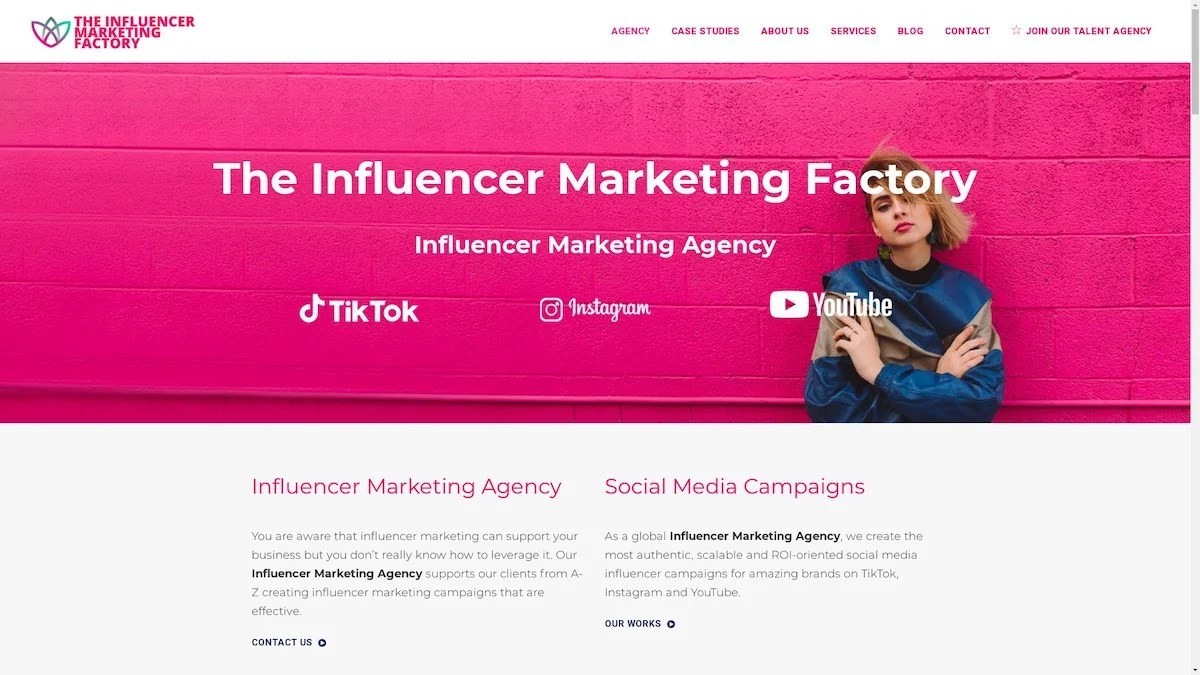
The Influencer Marketing Factory
TikTok, Instagram & YouTube CampaignsA full-service agency with strong TikTok expertise, offering end-to-end campaign management from influencer discovery through performance reporting with a focus on platform-native content.Clients: Google, Snapchat, Universal Music, Bumble, YelpVisit TIMF → -
6
NeoReach
Enterprise Analytics & Influencer CampaignsAn enterprise-focused agency combining managed campaigns with a powerful self-service data platform for influencer search, audience analytics, and attribution modeling.Clients: Amazon, Airbnb, Netflix, Honda, The New York TimesVisit NeoReach → -
7
Ubiquitous
Creator-First Marketing PlatformA tech-driven platform combining self-service tools with managed campaign options, emphasizing speed and scalability for brands managing multiple influencer relationships.Clients: Lyft, Disney, Target, American Eagle, NetflixVisit Ubiquitous → -
8
Obviously
Scalable Enterprise Influencer CampaignsA tech-enabled agency built for high-volume campaigns, coordinating hundreds of creators simultaneously with end-to-end logistics, content rights management, and product seeding.Clients: Google, Ulta Beauty, Converse, AmazonVisit Obviously →