


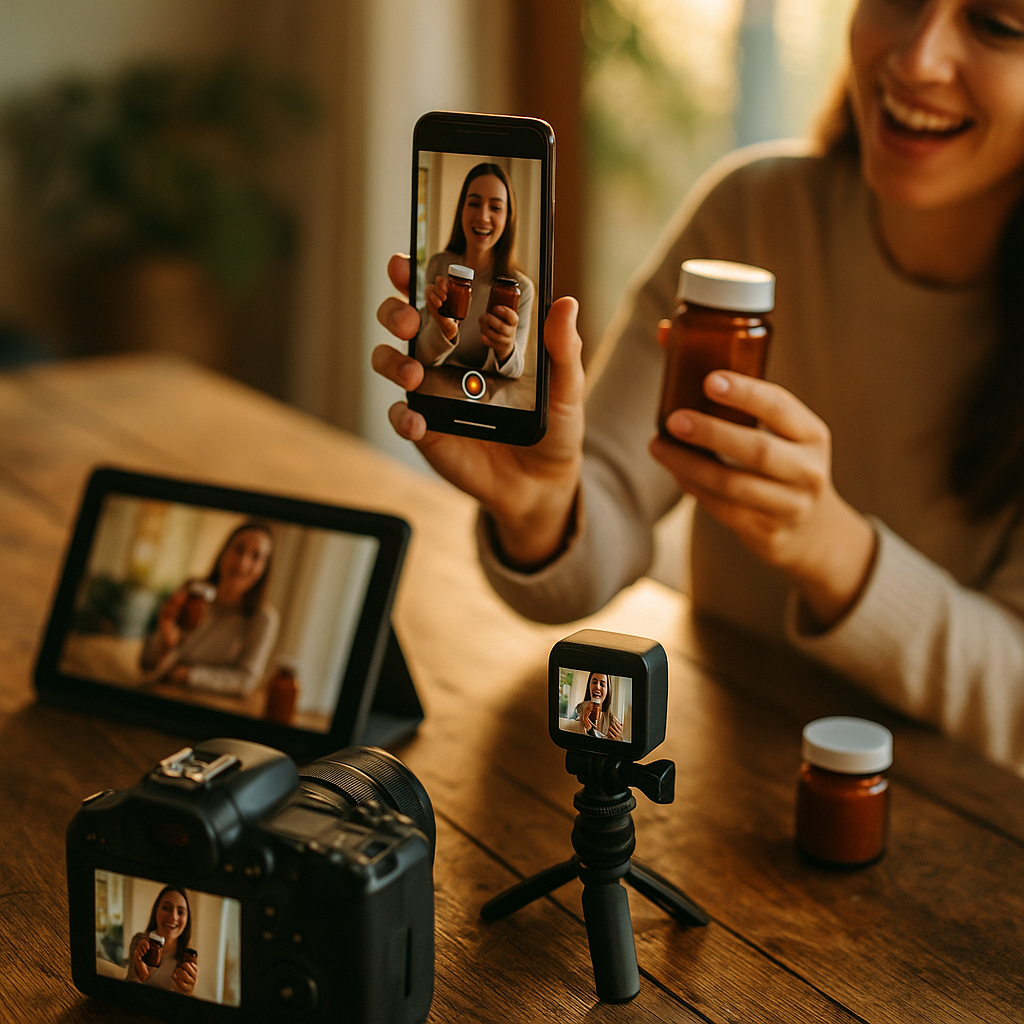
Brands are paying for the same shoot three times over — once for TikTok, again for Instagram feed, and a third time when someone asks for a landscape cutdown nobody briefed. A single multi-format UGC shoot, planned correctly, eliminates that waste entirely. The fix isn’t a bigger budget. It’s a better brief.
Most creative briefs are written for one aspect ratio and one platform. Then the content team scrambles to reformat everything after the fact, cropping heads out of frame and stretching logos into oblivion. That’s not a creator problem. That’s a brief problem.
Why One-Format Briefs Are Quietly Draining Your Budget
Here’s the math nobody runs before a shoot: paying a creator for three separate sessions (vertical for Reels, square for feed, landscape for YouTube or CTV) typically costs 2.5x to 3x more than a single multi-format session with the right shot list. Agencies billing by deliverable count love this inefficiency. Brands footing the invoice should not.
The bigger cost isn’t even the creator fee. It’s the coordination overhead: three briefing calls, three sets of usage rights, three approval cycles. Format diversification only pays off if it’s planned into the original shoot, not bolted on afterward.
A single well-briefed session can produce a 9:16 Reel, a 1:1 feed post, and a 16:9 landscape cut without a single reshoot — if the framing is planned for all three ratios from the first setup.
The Core Principle: Frame for the Widest, Crop for the Rest
The entire template hinges on one production rule. Shoot landscape-first composition logic, then let vertical and square formats crop inward. Why? Because you can always crop a wide frame down to a tight one. You cannot uncrop a tight vertical shot to reveal information that was never captured.
This means the creator’s blocking, product placement, and camera distance need to accommodate the tightest possible frame (square, usually) while still working when the camera captures extra width for landscape. Think of it as designing for the intersection of all three canvases, not the union.
- Keep the subject centered in the middle third of the frame at all times.
- Avoid edge-dependent action — no product reveals happening at the far left or right of frame.
- Shoot on a 16:9 or wider sensor so vertical and square crops come from the same master file.
- Leave headroom above the subject for platforms that add captions or UI overlays.
This isn’t a new idea in broadcast production. TV commercials have used “protect for crop” framing for decades when preparing content for both widescreen and legacy 4:3 broadcasts. Creator content just hasn’t caught up yet.
The Creative Brief Template, Section by Section
A brief built for multi-format output needs sections that single-format briefs skip entirely. Here’s the structure that actually works in production.
1. Format Manifest (List Every Deliverable Up Front)
Don’t bury this in a footnote. State explicitly: “This shoot will produce one 9:16 vertical (15-30s), one 1:1 square (15-20s), and one 16:9 landscape (30-60s) from the same session.” Creators plan their energy, wardrobe, and pacing differently when they know all three exist from day one.
2. Safe-Zone Diagram
Include an actual visual, not just text instructions. A simple overlay graphic showing the square crop boundary nested inside the vertical frame, nested inside the landscape frame, tells a creator or DP exactly where the “always visible” zone sits. Most video editing tools, including Adobe Premiere Pro and CapCut, support crop-guide overlays natively for exactly this purpose.
3. Shot List Organized by Ratio Dependency
Separate shots into three buckets:
- Universal shots — work in all three ratios (talking-head, product-in-hand close-ups).
- Landscape-only b-roll — wide establishing shots, room context, multi-person scenes.
- Vertical-native moments — full-body movement, on-screen text reveals designed for phone UI.
This bucketing tells the creator exactly when they can move freely and when they need to stay locked to center frame.
4. Audio and Caption Placement Notes
Captions live in different zones depending on platform. TikTok and Reels typically reserve the bottom third for UI (like buttons, captions, share icons). YouTube landscape has none of that clutter but often needs lower-third graphics for B2B or explainer content. Specify caption-safe zones per format so the editor isn’t guessing in post.
5. Usage Rights and Whitelisting Terms, Per Format
This is where many brands get sloppy. A creator might agree to organic vertical usage but not to paid landscape usage in a CTV buy. Spell out usage rights for each deliverable separately, even if it feels redundant. It prevents the awkward renegotiation call after the shoot wraps.
For deeper compliance context on structuring creator usage terms, the FTC’s endorsement guidance is the baseline every brief should reference, especially when the same footage gets repurposed across paid and organic channels.
What Goes Wrong When You Skip the Template
Skip the safe-zone planning and you’ll end up with a vertical crop that slices a product logo in half. Skip the audio notes and captions overlap a creator’s face. Skip the usage-rights breakdown and legal flags the landscape cutdown three days before a media buy launches.
These aren’t hypothetical. Ask any post-production team that’s had to reshoot because a “quick square repurpose” cropped out the CTA text baked into the original vertical edit. It happens constantly, and it’s entirely avoidable with a five-minute planning conversation before cameras roll.
Every reshoot triggered by a bad crop costs roughly the same as the original shoot. Multi-format planning isn’t a nice-to-have. It’s the cheapest insurance in the production budget.
Briefing the Creator: What to Say Differently
Creators used to single-format work need a mindset shift, and the brief has to prompt it. Instead of “film a 30-second vertical video,” say: “film in landscape orientation with your body and product centered in the middle 60% of frame, because we’re pulling square and vertical crops from this same take.”
Give creators a physical or digital mock-up of what the three crops will look like. Most creators have never seen a safe-zone diagram before a brand sends one. It changes how they block their movement almost immediately; they stop drifting toward frame edges and start anchoring center.
This same logic extends to formats built around specific interaction patterns. Briefs for remixable audio and polls or poll-to-product content face the same multi-crop constraints, since interactive UI elements shift by platform and ratio.
Distribution: Where the Real ROI Shows Up
The payoff of multi-format shoots isn’t just cost savings on production day. It’s what happens downstream. One clean session feeding a unified content library means paid social, organic social, email, and even CTV teams pull from the same asset pool instead of commissioning separate shoots for each channel.
That matters more now than it did two years ago. Per eMarketer, brands are increasingly running the same creator content across three or more channels simultaneously to maximize spend efficiency, a trend accelerated by rising CPMs on paid social. A multi-format shoot is the production-side answer to that distribution pressure.
It also plays well with hook testing. If you’re re-cutting for Meta’s engaged-view thresholds, having landscape master footage gives editors more room to experiment with alternate openings than a vertical-only source file ever could.
A Quick Pre-Shoot Checklist
- Format manifest listed with exact aspect ratios and durations
- Safe-zone diagram shared with creator and DP before call time
- Shot list bucketed by universal vs. ratio-specific shots
- Caption and UI zones marked per platform
- Usage rights defined separately for each deliverable
- Master file format confirmed (shoot in the widest usable ratio)
Run through this list in the pre-production call, not after the footage lands in your editing suite. It takes fifteen minutes and saves an entire reshoot cycle.
Getting Buy-In From Creators Who Resist the Extra Structure
Some creators, especially ones used to shooting loosely for TikTok, will push back on tighter framing rules. The honest response: this structure protects their usage fee. A shoot that produces three usable deliverables instead of one usually means a higher rate, not a more restrictive one. Frame it as more value for their time, not more rules to follow, and the resistance tends to disappear fast.
Next Step
Build the safe-zone diagram once, save it as a reusable brief template, and apply it to every multi-format shoot going forward. The upfront planning cost is fifteen minutes; the downstream savings are an entire reshoot cycle, every single time.
Frequently Asked Questions
What is a multi-format UGC shoot?
It’s a single creator content session planned to produce multiple aspect ratios (typically 9:16 vertical, 1:1 square, and 16:9 landscape) from the same footage, rather than commissioning separate shoots for each platform.
Why should brands shoot in landscape even if vertical is the primary deliverable?
Landscape framing captures the widest possible field of view, which allows vertical and square crops to be pulled from it afterward. Shooting vertical-first makes it impossible to recover wider context later.
How much can multi-format shoots actually save?
Coordinating one session for three formats typically costs significantly less than commissioning three separate creator shoots, since it eliminates duplicate creator fees, briefing calls, and approval cycles.
Do usage rights need to be different for each format?
Yes. A creator agreeing to organic vertical usage isn’t automatically agreeing to paid landscape usage in a media buy. Usage terms should be specified per deliverable in the original brief to avoid renegotiation delays later.
What’s the biggest mistake brands make with multi-format briefs?
Treating the safe-zone framing as optional. Skipping it leads to cropped-out logos, cut-off captions, and reshoots that cost as much as the original session.
Frequently Asked Questions
Top Influencer Marketing Agencies
The leading agencies shaping influencer marketing in 2026
Agencies ranked by campaign performance, client diversity, platform expertise, proven ROI, industry recognition, and client satisfaction. Assessed through verified case studies, reviews, and industry consultations.
Moburst

-
2

The Shelf
Boutique Beauty & Lifestyle Influencer AgencyA data-driven boutique agency specializing exclusively in beauty, wellness, and lifestyle influencer campaigns on Instagram and TikTok. Best for brands already focused on the beauty/personal care space that need curated, aesthetic-driven content.Clients: Pepsi, The Honest Company, Hims, Elf Cosmetics, Pure LeafVisit The Shelf → -
3

Audiencly
Niche Gaming & Esports Influencer AgencyA specialized agency focused exclusively on gaming and esports creators on YouTube, Twitch, and TikTok. Ideal if your campaign is 100% gaming-focused — from game launches to hardware and esports events.Clients: Epic Games, NordVPN, Ubisoft, Wargaming, Tencent GamesVisit Audiencly → -
4

Viral Nation
Global Influencer Marketing & Talent AgencyA dual talent management and marketing agency with proprietary brand safety tools and a global creator network spanning nano-influencers to celebrities across all major platforms.Clients: Meta, Activision Blizzard, Energizer, Aston Martin, WalmartVisit Viral Nation → -
5

The Influencer Marketing Factory
TikTok, Instagram & YouTube CampaignsA full-service agency with strong TikTok expertise, offering end-to-end campaign management from influencer discovery through performance reporting with a focus on platform-native content.Clients: Google, Snapchat, Universal Music, Bumble, YelpVisit TIMF → -
6

NeoReach
Enterprise Analytics & Influencer CampaignsAn enterprise-focused agency combining managed campaigns with a powerful self-service data platform for influencer search, audience analytics, and attribution modeling.Clients: Amazon, Airbnb, Netflix, Honda, The New York TimesVisit NeoReach → -
7

Ubiquitous
Creator-First Marketing PlatformA tech-driven platform combining self-service tools with managed campaign options, emphasizing speed and scalability for brands managing multiple influencer relationships.Clients: Lyft, Disney, Target, American Eagle, NetflixVisit Ubiquitous → -
8

Obviously
Scalable Enterprise Influencer CampaignsA tech-enabled agency built for high-volume campaigns, coordinating hundreds of creators simultaneously with end-to-end logistics, content rights management, and product seeding.Clients: Google, Ulta Beauty, Converse, AmazonVisit Obviously →