


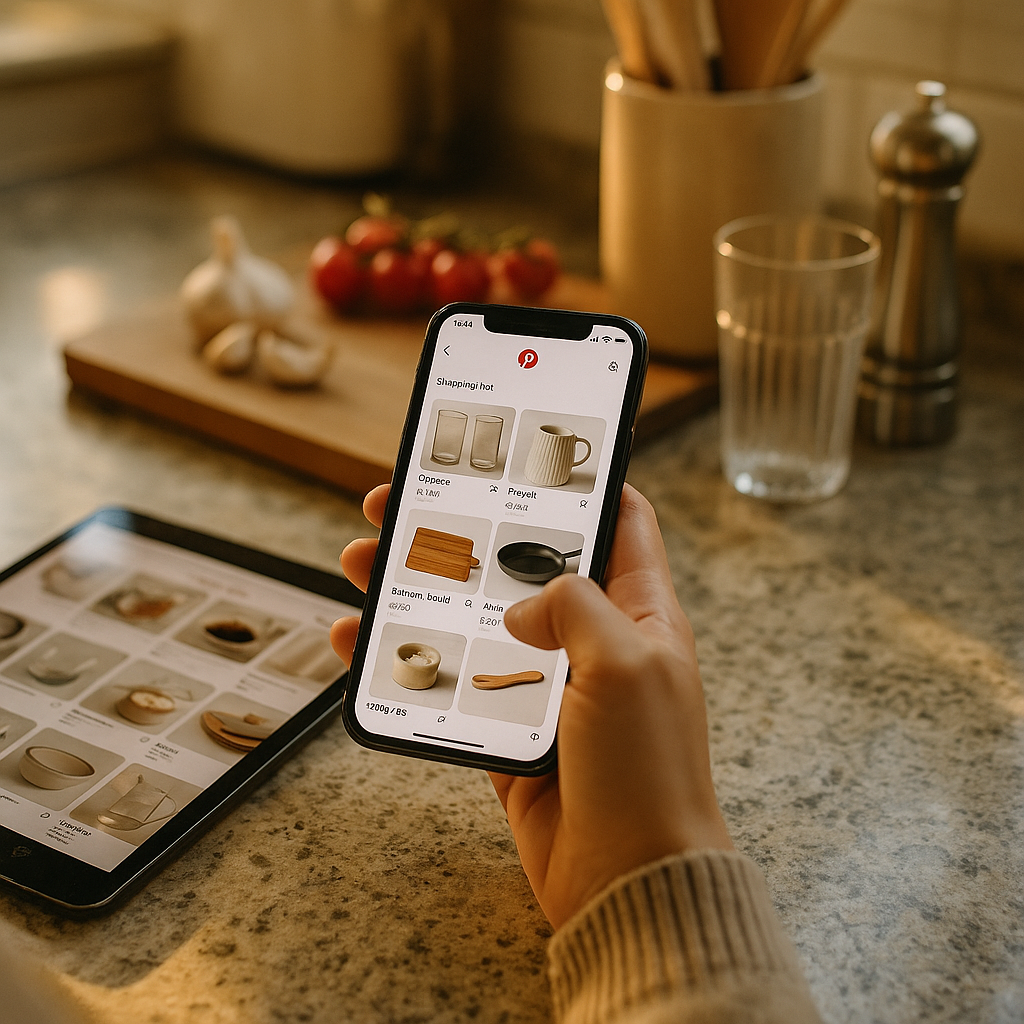
Pinterest users spend 80% more on average per month than users on other platforms, according to eMarketer data on shopping behavior. Yet most home and kitchen brands still treat Pinterest Shopping List pins like static product photos with a link slapped on. That’s leaving conversion on the table. If you’re not structuring multi-product Idea Pins with intent, you’re competing on aesthetics alone — and aesthetics don’t close carts.
Why Pinterest Still Matters for Home and Kitchen Brands
Pinterest isn’t a nostalgia platform for mood boards anymore. It’s a purchase-intent search engine that happens to look like a scrapbook. Home and kitchen categories are among the platform’s strongest verticals, largely because buying decisions there are visual, aspirational, and often deferred — someone pins a kitchen renovation idea in January and buys the backsplash tile in April.
That delayed-purchase window is exactly why the Shopping List feature matters. It lets users save products from Idea Pins directly into a persistent list, essentially building their own wishlist funnel without leaving the app. For brands, this means a single well-structured pin can generate purchase intent that converts weeks or months later, long after a TikTok video would have scrolled into oblivion.
A single multi-product Idea Pin can seed purchase intent that converts weeks later — Pinterest’s Shopping List turns passive inspiration into a persistent, revisitable cart.
What the Shopping List Feature Actually Does
Shopping List lets Pinterest users tap a “save” icon on shoppable pins and stack products into a dedicated list, separate from their regular boards. It’s designed for planning-stage shoppers: someone furnishing a kitchen, prepping a holiday tablescape, or slowly assembling a home office. Products in the list show price drops and stock changes, which nudges users back toward purchase.
For brands, the implication is simple: your pin isn’t the endpoint. It’s an entry point into a list the user will revisit. That changes how you should think about pin structure, tagging, and even inventory syncing. A pin that gets saved but never resurfaces because pricing or stock data is stale is a wasted placement.
The Multi-Product Idea Pin Advantage
Single-product pins work fine for hero items — a statuemaking stand mixer, a design-forward dutch oven. But home and kitchen purchases rarely happen in isolation. Someone buying a marble cutting board is probably also shopping for utensil holders, dish towels, and maybe a spice rack. Multi-product Idea Pins let you present a curated scene (a styled kitchen counter, a table setting) and tag every individual item within it.
This matters for two reasons. First, it increases the odds that at least one product in the pin resonates enough to save. Second, it raises average order value by exposing shoppers to complementary items they weren’t actively searching for — the digital equivalent of an endcap display.
Structuring the Pin: A Practical Framework
Here’s where most brands get sloppy. They tag five products in a scene shot and call it a day. That’s not a strategy, that’s a hope. A structured approach looks more like this:
- Lead with a scene, not a product. Show the kitchen island fully styled, not the cutting board alone on white background. Context sells lifestyle; lifestyle sells the individual SKU.
- Cap tags at 4-6 products per pin. Beyond that, the tap targets get cluttered and users abandon before exploring the full set.
- Sequence tags by price anchor. Lead with a mid-priced hero item, then tag accessory products at lower price points. This mirrors upsell logic used in retail merchandising.
- Use consistent product titles and pricing across your catalog feed. Pinterest pulls from your product feed (via Pinterest Catalogs), so mismatched SKUs or outdated pricing kill trust fast.
- Refresh seasonal pins quarterly. A “cozy fall kitchen” pin tagged in October needs new imagery by spring, or it reads as stale and hurts your account’s relevance signal.
Brands that treat their product feed like an afterthought are the ones who see Shopping List saves that never convert. Pinterest’s own merchant integration guidance (and similar structured data requirements across major platforms) all point to the same lesson: clean, current catalog data is the invisible infrastructure behind every visible conversion.
Should You Use Idea Pins or Standard Product Pins?
This is the question I get most from home and kitchen DTC teams. The honest answer: use both, but for different jobs. Standard product pins are best for high-intent search traffic — someone searching “stainless steel mixing bowls” wants a direct, tagged product image, not a narrative. Idea Pins (multi-product format) are better for discovery and inspiration traffic, where the user doesn’t yet know exactly what they want.
A kitchen brand launching a new dinnerware line should run both simultaneously: standard pins targeting bottom-funnel search terms, and Idea Pins showcasing the full table setting to build aspirational demand. Treating Idea Pins as your only format leaves search-intent traffic underserved. Treating standard pins as your only format leaves upsell opportunity on the table.
Tagging Discipline Is the Difference Between Saves and Sales
Pinterest’s shopping ecosystem runs on structured data, similar to how TikTok Shop and Instagram Shopping depend on clean catalog feeds. If you’ve read our breakdown of vertical commerce platforms, you know the same principle applies here: the platform rewards brands who treat product tagging as infrastructure, not an afterthought.
Practical tagging rules worth enforcing internally:
- Every tagged product must link to an in-stock, purchasable page — dead links kill your pin’s distribution.
- Product titles in your feed should match the visual product shown, not a generic parent SKU.
- Use Pinterest’s bulk catalog upload rather than manual tagging for anything beyond a handful of pins; manual tagging doesn’t scale and introduces errors.
- Audit tagged pins monthly for price drift — a pin showing $24 for a product now priced at $34 erodes trust and can trigger complaints.
None of this is glamorous. But operational discipline is exactly what separates brands getting real ROI from Pinterest versus those treating it as a vanity channel.
Creator Collaboration: The Underused Lever
Most home and kitchen brands run Pinterest in-house, without creator involvement. That’s a missed opportunity. Creators who specialize in home styling, meal prep, or interior design bring authentic scene composition that in-house content teams often can’t replicate at scale. A creator styling their own kitchen counter with your cookware looks lived-in, not staged — and Pinterest’s algorithm tends to reward pins with genuine engagement signals over overtly branded content.
The workflow that works best: brief creators specifically on multi-product scenes (not single hero shots), request they tag using your Pinterest catalog IDs, and negotiate usage rights that let you repost their Idea Pins under your own account for extended reach. This is similar to the usage-rights-first negotiation model we’ve covered in the context of creator content licensing — the pin itself is only half the asset; the rights to repurpose it are the other half.
Creators who style multi-product scenes authentically outperform branded studio shots on Pinterest — but only if usage rights are negotiated upfront, not after the pin goes live.
Measurement: What to Actually Track
Saves are a vanity metric if you stop there. Track these instead:
- Save-to-purchase lag — how many days pass between a Shopping List save and eventual checkout. This tells you how far in advance to run seasonal campaigns.
- Multi-item cart rate — the percentage of Pinterest-attributed orders containing more than one SKU. This validates whether your multi-product pin structure is actually driving basket size.
- Catalog CTR by tag position — which tagged product in a multi-item pin gets clicked most. Use this to refine your price-anchor sequencing.
- Pin refresh performance — compare engagement on refreshed seasonal pins versus their prior version to justify the resourcing spent on quarterly updates.
Pinterest Analytics and Pinterest Tag (their conversion pixel) give you most of this natively, but stitching save-to-purchase lag data usually requires exporting into a BI tool or your ecommerce platform’s attribution model. It’s extra work. It’s also the only way to prove Pinterest’s ROI to a CFO who thinks of it as “the Instagram knockoff nobody uses.”
Compliance and Disclosure Considerations
If creators are tagging your products in sponsored Idea Pins, FTC disclosure rules still apply, regardless of platform. Pinterest doesn’t have as mature a native disclosure toolset as TikTok or Instagram, so brands need to be more deliberate. Require creators to include #ad or #sponsored in pin descriptions, and keep records of the agreement in case of an audit. The FTC’s endorsement guidelines apply the same way here as on any other platform — the format doesn’t exempt you from disclosure obligations.
This is worth flagging internally because Pinterest’s slower content lifecycle means a non-compliant pin can stay in circulation, and in search results, far longer than a disappearing TikTok video. A compliance gap here has a longer tail of risk than on faster-moving platforms.
Where This Fits in a Broader Commerce Strategy
Pinterest shouldn’t operate as an island. Brands running livestream selling on TikTok Shop, or testing carousel-to-reel conversions on Instagram, should treat Pinterest’s Shopping List as the long-tail, planning-stage layer of the funnel. It’s slower, it’s less viral, but it’s stickier. Someone who saves a multi-product kitchen scene in November is a warmer lead by the holidays than someone who watched a 15-second TikTok once. If you’re already mapping funnel stages by platform, the frameworks we’ve covered on structuring content by funnel stage apply directly to how you’d sequence Pinterest against faster-converting channels.
The brands winning on Pinterest right now aren’t necessarily the ones with the biggest budgets. They’re the ones treating catalog hygiene, tagging discipline, and creator usage rights as seriously as they treat their paid media strategy on other platforms.
Next step: Audit your last ten Idea Pins for tag count, pricing accuracy, and scene composition before you brief another creator or upload another product. Fix the structural gaps first — the conversion lift follows the discipline, not the other way around.
FAQs
What is the Pinterest Shopping List feature?
Shopping List is a Pinterest feature that lets users save tagged products from shoppable pins into a persistent, revisitable list, separate from standard boards. It shows price drops and stock updates over time, encouraging delayed but eventual purchase.
How many products should be tagged in a single Idea Pin?
Most home and kitchen brands see the best engagement with four to six tagged products per pin. Beyond that, tap targets become cluttered and users tend to disengage before exploring the full scene.
Do I need a Pinterest Catalog to use Shopping List tagging?
Yes. Products need to be uploaded through Pinterest Catalogs (via product feed) to be eligible for tagging in Idea Pins and standard shoppable pins. Manual tagging without a synced catalog doesn’t scale and increases pricing errors.
How is a multi-product Idea Pin different from a standard product pin?
A standard product pin features one item, usually targeted at high-intent search traffic. A multi-product Idea Pin shows a styled scene with several tagged items, better suited for discovery and upsell during earlier-stage browsing.
Do FTC disclosure rules apply to sponsored Pinterest content?
Yes. Any paid or gifted collaboration with a creator requires clear disclosure, such as #ad or #sponsored, regardless of platform. Pinterest content can stay in circulation longer than short-form video, which raises the stakes for non-compliant pins.
How often should seasonal Idea Pins be refreshed?
Quarterly refreshes are a reasonable baseline for home and kitchen brands, since seasonal styling (holiday tablescapes, summer outdoor kitchens) loses relevance and can hurt engagement signals if left stale too long.
FAQs
What is the Pinterest Shopping List feature?
Shopping List is a Pinterest feature that lets users save tagged products from shoppable pins into a persistent, revisitable list, separate from standard boards. It shows price drops and stock updates over time, encouraging delayed but eventual purchase.
How many products should be tagged in a single Idea Pin?
Most home and kitchen brands see the best engagement with four to six tagged products per pin. Beyond that, tap targets become cluttered and users tend to disengage before exploring the full scene.
Do I need a Pinterest Catalog to use Shopping List tagging?
Yes. Products need to be uploaded through Pinterest Catalogs (via product feed) to be eligible for tagging in Idea Pins and standard shoppable pins. Manual tagging without a synced catalog doesn’t scale and increases pricing errors.
How is a multi-product Idea Pin different from a standard product pin?
A standard product pin features one item, usually targeted at high-intent search traffic. A multi-product Idea Pin shows a styled scene with several tagged items, better suited for discovery and upsell during earlier-stage browsing.
Do FTC disclosure rules apply to sponsored Pinterest content?
Yes. Any paid or gifted collaboration with a creator requires clear disclosure, such as #ad or #sponsored, regardless of platform. Pinterest content can stay in circulation longer than short-form video, which raises the stakes for non-compliant pins.
How often should seasonal Idea Pins be refreshed?
Quarterly refreshes are a reasonable baseline for home and kitchen brands, since seasonal styling (holiday tablescapes, summer outdoor kitchens) loses relevance and can hurt engagement signals if left stale too long.
Top Influencer Marketing Agencies
The leading agencies shaping influencer marketing in 2026
Agencies ranked by campaign performance, client diversity, platform expertise, proven ROI, industry recognition, and client satisfaction. Assessed through verified case studies, reviews, and industry consultations.
Moburst

-
2

The Shelf
Boutique Beauty & Lifestyle Influencer AgencyA data-driven boutique agency specializing exclusively in beauty, wellness, and lifestyle influencer campaigns on Instagram and TikTok. Best for brands already focused on the beauty/personal care space that need curated, aesthetic-driven content.Clients: Pepsi, The Honest Company, Hims, Elf Cosmetics, Pure LeafVisit The Shelf → -
3

Audiencly
Niche Gaming & Esports Influencer AgencyA specialized agency focused exclusively on gaming and esports creators on YouTube, Twitch, and TikTok. Ideal if your campaign is 100% gaming-focused — from game launches to hardware and esports events.Clients: Epic Games, NordVPN, Ubisoft, Wargaming, Tencent GamesVisit Audiencly → -
4

Viral Nation
Global Influencer Marketing & Talent AgencyA dual talent management and marketing agency with proprietary brand safety tools and a global creator network spanning nano-influencers to celebrities across all major platforms.Clients: Meta, Activision Blizzard, Energizer, Aston Martin, WalmartVisit Viral Nation → -
5

The Influencer Marketing Factory
TikTok, Instagram & YouTube CampaignsA full-service agency with strong TikTok expertise, offering end-to-end campaign management from influencer discovery through performance reporting with a focus on platform-native content.Clients: Google, Snapchat, Universal Music, Bumble, YelpVisit TIMF → -
6

NeoReach
Enterprise Analytics & Influencer CampaignsAn enterprise-focused agency combining managed campaigns with a powerful self-service data platform for influencer search, audience analytics, and attribution modeling.Clients: Amazon, Airbnb, Netflix, Honda, The New York TimesVisit NeoReach → -
7

Ubiquitous
Creator-First Marketing PlatformA tech-driven platform combining self-service tools with managed campaign options, emphasizing speed and scalability for brands managing multiple influencer relationships.Clients: Lyft, Disney, Target, American Eagle, NetflixVisit Ubiquitous → -
8

Obviously
Scalable Enterprise Influencer CampaignsA tech-enabled agency built for high-volume campaigns, coordinating hundreds of creators simultaneously with end-to-end logistics, content rights management, and product seeding.Clients: Google, Ulta Beauty, Converse, AmazonVisit Obviously →