


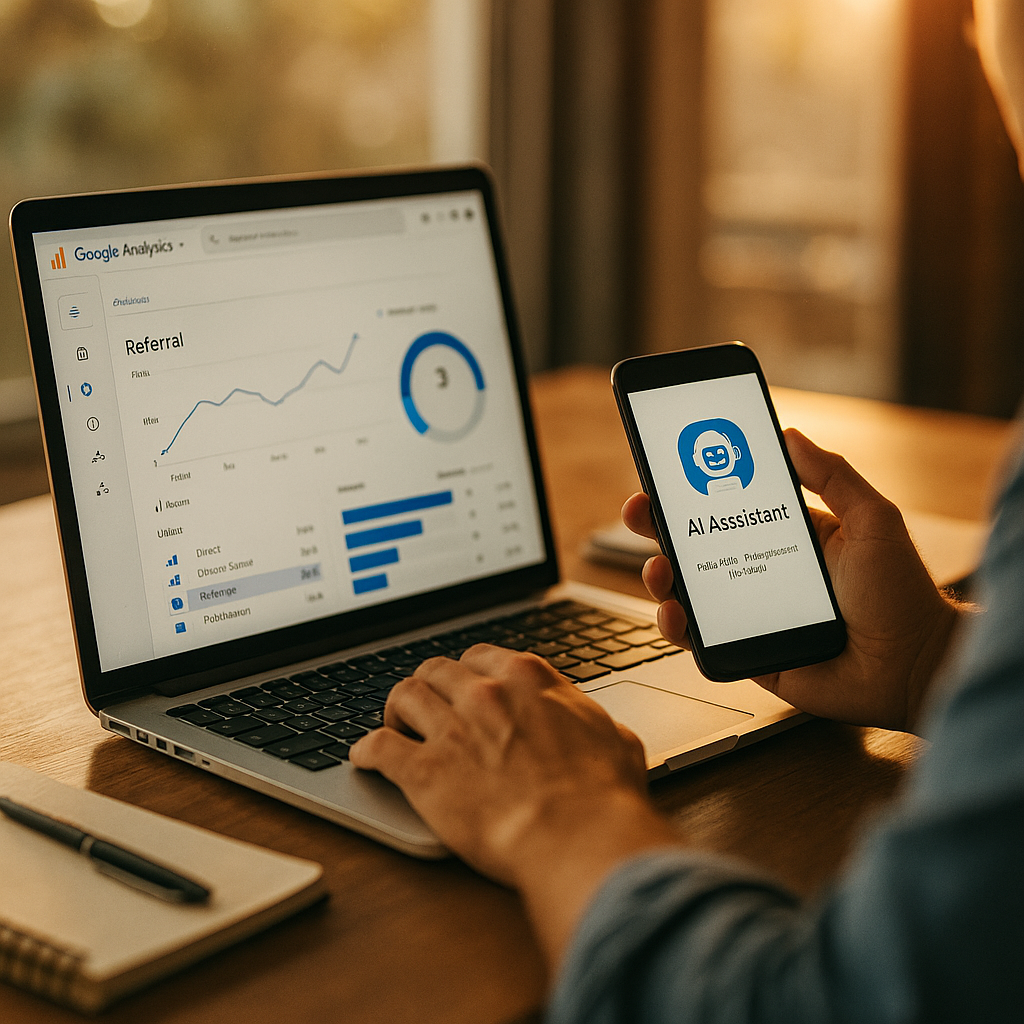
ChatGPT, Perplexity, and Gemini now send more qualified traffic to some B2B sites than half their paid channels combined, yet most GA4 dashboards still lump that traffic into “Direct” or “Unassigned.” If your last quarterly business review included a slide claiming direct traffic grew 30%, there’s a decent chance AI assistants deserve the credit, not your homepage URL memorization skills. Configuring GA4 to isolate AI-assistant referral traffic isn’t optional anymore. It’s the difference between a QBR grounded in reality and one built on a measurement blind spot.
Why This Is Suddenly a QBR Problem
Six months ago, AI referral traffic was a rounding error for most brands. Not anymore. Perplexity, ChatGPT with browsing, Gemini, and Copilot are now meaningfully influencing purchase research, especially in B2B categories where buyers ask an assistant to “compare vendors” before they ever touch a search engine.
The problem is structural, not a GA4 bug. When a user clicks a link inside an AI assistant’s response, the referral data that arrives often lacks the clean UTM parameters or recognizable referrer strings that GA4’s default channel groupings expect. Result: traffic gets bucketed as Direct, Unassigned, or occasionally misfiled as Organic Search. Your CMO sees “Direct traffic up 40%” and assumes brand strength. What’s actually happening is an AI assistant citing your product page, and nobody in the room knows it.
If AI-assisted sessions are hiding inside your Direct channel, every attribution conversation in your QBR is starting from a false baseline.
This isn’t a niche concern. According to eMarketer, AI chatbot referral traffic to retail and B2B sites has grown at a pace that outstrips most paid channels quarter over quarter. If you’re not isolating it, you’re not measuring your actual funnel, you’re measuring a distorted one.
Step One: Audit Your Current Referral Exclusions and Channel Groupings
Before you build anything new, check what’s already broken. Open Admin > Data Streams > your web stream > Configure tag settings > List unwanted referrals. Many GA4 properties inherited default exclusion lists from Universal Analytics migrations years ago, and those lists don’t account for AI assistant domains at all.
Pull your Traffic Acquisition report and filter by Session source/medium. Look specifically for these patterns showing up as “(direct) / (none)”:
- chat.openai.com or chatgpt.com without a referrer parameter
- perplexity.ai sessions missing medium tags
- gemini.google.com traffic folding into generic Google referrals
- copilot.microsoft.com sessions appearing as direct
If you see spikes in Direct traffic that correlate with content publish dates or PR mentions, that’s often your first clue an AI assistant is citing you. This is the same diagnostic groundwork covered in fixing the direct traffic gap, and it’s worth doing before you touch any configuration settings.
Building Custom Channel Groups for AI Referrals
GA4’s default channel grouping logic doesn’t have a native “AI Assistant” bucket. You have to build one. Navigate to Admin > Data display > Channel groups, and create a custom channel group rather than editing the default one (editing the default risks breaking historical comparisons).
Set up rules using Session source dimension conditions. A reasonably comprehensive rule set includes matching source contains any of: openai, chatgpt, perplexity, gemini, copilot, claude.ai, and you.com. Layer in a condition matching referrer path patterns where available, since some assistants pass partial referrer strings depending on browser and device.
Name the channel clearly, something like “AI Assistant Referral,” so it reads unambiguously in reports rather than getting confused with organic social or affiliate traffic.
A custom channel group is the single highest-leverage change you can make before your next QBR. It turns invisible traffic into a reportable line item in under thirty minutes.
For a full walkthrough of the technical configuration, including screenshots of the rule builder, see this GA4 setup guide, which covers the exact source-matching syntax GA4 expects.
Don’t Skip UTM Discipline Going Forward
Retroactive fixes only get you so far. If your content team is publishing anything designed to be cited by AI assistants (comparison pages, “best of” listicles, pricing breakdowns), start tagging outbound links and canonical URLs with consistent UTM parameters where you control the surface. You can’t control how ChatGPT formats a citation link, but you can control what your own site sends to third-party aggregators, review sites, and syndication partners that assistants frequently crawl.
This matters more as agentic shopping and AI-mediated discovery expand. Brands optimizing product feeds for assistant visibility, as detailed in preparing product feeds for AI shopping, are already thinking about this at the data layer, not just the content layer. Measurement and content strategy need to move together here, or you’ll optimize for visibility you can’t actually prove happened.
Cross-Check With Server Logs and Referrer Headers
GA4 alone won’t catch everything. Some AI assistants strip referrer headers entirely for privacy reasons, meaning a session that originated from an AI-generated link can look identical to a user who typed your URL from memory. This is a known limitation, not a configuration failure on your part.
Pull raw server logs (or work with your dev team on this) and cross-reference timestamp clusters against known AI crawler user-agent strings: GPTBot, PerplexityBot, ClaudeBot, and Google-Extended. If you see crawl activity from these agents spiking a few days before a Direct traffic bump, that’s strong circumstantial evidence the two are connected, even if GA4 can’t stitch the session-level attribution perfectly.
This hybrid approach, GA4 channel groups plus server log correlation, is closer to how teams comparing AI referral traffic against organic search have had to operate over the past several months. Nobody has a perfect single-source answer yet. Triangulation is the current best practice, not a workaround you should be embarrassed about presenting in a QBR.
Presenting This in the QBR Without Overselling It
Here’s where a lot of marketers get greedy. Once you’ve isolated AI referral traffic and it shows growth, the temptation is to present it as proof influencer or content strategy is “winning” with AI. Resist that framing unless you have conversion data to back it up.
Instead, present three numbers: sessions from the new AI Assistant channel, their engagement rate compared to organic search sessions, and conversion rate if you have enough volume for statistical relevance. If conversion rate is comparable to or better than organic search, that’s a legitimately strong story. If it’s lower, say so. Underselling a new channel with honest data builds more credibility with finance and leadership than an inflated claim that falls apart under a follow-up question.
Six months of dashboard data from teams that built this out early, covered in this attribution dashboard review, shows engagement rates for AI-referred sessions running higher than average site-wide benchmarks in several verticals, but conversion lift varies wildly by industry and funnel length. Don’t assume your category matches someone else’s case study.
It’s also worth connecting this measurement work to the identity resolution conversations happening across the industry right now. Anonymous AI referral sessions are, functionally, another flavor of the identity gap discussed in this identity gap analysis. The tools differ, but the underlying problem, matching a session to a trustworthy source, is the same one B2B teams have been chasing for years, as outlined in this governance framework.
What to Automate Before Next Quarter
Manual audits work once. They don’t scale across quarters. Build a saved exploration report in GA4 that filters specifically on your new AI Assistant channel group, and schedule it to export automatically before each QBR prep cycle. Pair that with a quarterly refresh of your source-matching rules, since new assistants (and new referrer formats) launch constantly. What catches Perplexity today might miss whatever ships from Anthropic or a Microsoft Copilot update next quarter.
For teams managing this alongside broader AI marketing infrastructure, resources like Google’s official support documentation and HubSpot’s analytics guidance are worth bookmarking for whenever GA4’s UI shifts, which it does often enough to be annoying.
Next step: Build the custom channel group this week, not before the QBR deadline. Give yourself at least two weeks of clean data before presenting, so the numbers reflect a pattern rather than a single unusual week.
FAQs
Why does GA4 classify AI assistant traffic as Direct instead of Referral?
Many AI assistants either strip referrer headers for privacy reasons or pass referral data in a format GA4’s default channel logic doesn’t recognize, so sessions default to the Direct bucket unless you build custom matching rules.
Can I fix this retroactively for past quarters?
No. Custom channel groups in GA4 apply going forward from the date you create them; historical Direct traffic data won’t automatically reclassify. You can still estimate past AI influence using server log correlation, but it won’t appear cleanly in retroactive GA4 reports.
How often should I update my AI assistant source-matching rules?
Quarterly at minimum. New assistants and referrer formats launch frequently enough that a rule set built six months ago likely misses newer tools like updated Copilot integrations or emerging players.
Should I present AI referral traffic as a win in my QBR?
Only if conversion or engagement data supports it. Present raw session counts alongside comparative engagement and conversion rates against organic search, and be transparent if the numbers don’t yet justify a victory lap.
Does this replace the need for UTM tagging?
No. Channel groups help classify inbound sessions you can’t control, but UTM tagging remains essential for any outbound links or syndicated content you do control, especially content designed to be cited by AI assistants.
Top Influencer Marketing Agencies
The leading agencies shaping influencer marketing in 2026
Agencies ranked by campaign performance, client diversity, platform expertise, proven ROI, industry recognition, and client satisfaction. Assessed through verified case studies, reviews, and industry consultations.
Moburst

-
2

The Shelf
Boutique Beauty & Lifestyle Influencer AgencyA data-driven boutique agency specializing exclusively in beauty, wellness, and lifestyle influencer campaigns on Instagram and TikTok. Best for brands already focused on the beauty/personal care space that need curated, aesthetic-driven content.Clients: Pepsi, The Honest Company, Hims, Elf Cosmetics, Pure LeafVisit The Shelf → -
3

Audiencly
Niche Gaming & Esports Influencer AgencyA specialized agency focused exclusively on gaming and esports creators on YouTube, Twitch, and TikTok. Ideal if your campaign is 100% gaming-focused — from game launches to hardware and esports events.Clients: Epic Games, NordVPN, Ubisoft, Wargaming, Tencent GamesVisit Audiencly → -
4

Viral Nation
Global Influencer Marketing & Talent AgencyA dual talent management and marketing agency with proprietary brand safety tools and a global creator network spanning nano-influencers to celebrities across all major platforms.Clients: Meta, Activision Blizzard, Energizer, Aston Martin, WalmartVisit Viral Nation → -
5

The Influencer Marketing Factory
TikTok, Instagram & YouTube CampaignsA full-service agency with strong TikTok expertise, offering end-to-end campaign management from influencer discovery through performance reporting with a focus on platform-native content.Clients: Google, Snapchat, Universal Music, Bumble, YelpVisit TIMF → -
6

NeoReach
Enterprise Analytics & Influencer CampaignsAn enterprise-focused agency combining managed campaigns with a powerful self-service data platform for influencer search, audience analytics, and attribution modeling.Clients: Amazon, Airbnb, Netflix, Honda, The New York TimesVisit NeoReach → -
7

Ubiquitous
Creator-First Marketing PlatformA tech-driven platform combining self-service tools with managed campaign options, emphasizing speed and scalability for brands managing multiple influencer relationships.Clients: Lyft, Disney, Target, American Eagle, NetflixVisit Ubiquitous → -
8

Obviously
Scalable Enterprise Influencer CampaignsA tech-enabled agency built for high-volume campaigns, coordinating hundreds of creators simultaneously with end-to-end logistics, content rights management, and product seeding.Clients: Google, Ulta Beauty, Converse, AmazonVisit Obviously →