


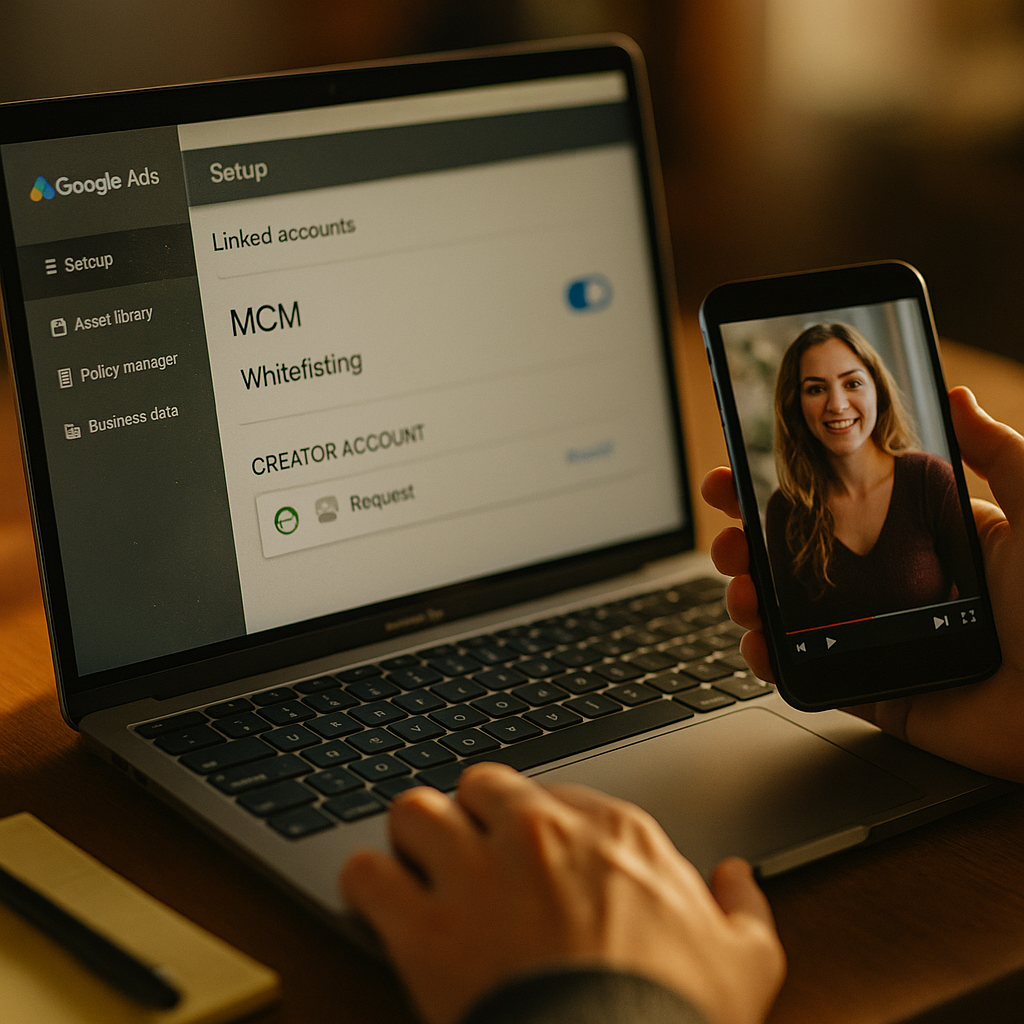
Sixty-three percent of paid social teams say managing agency and creator access across Meta Business Manager is their single biggest operational bottleneck, ahead of budget approvals or creative production. If your MCM setup for creator whitelisting still runs on shared logins and ad-hoc permission grants, you’re not just slow. You’re one departing employee away from a compliance incident.
This isn’t a hypothetical. Whitelisting, running paid media through a creator’s handle so ads inherit their engagement and social proof, has become standard practice for performance-driven influencer programs. But the mechanics behind it, Meta’s Business Manager (formerly known as My Client Manager, hence “MCM”) and its partner permission structure, trip up even sophisticated teams. Let’s walk through how to build this properly.
Why Whitelisting Breaks Without a Real MCM Structure
Whitelisting, sometimes called creator partnership ads or branded content ads on Meta, lets a brand run paid promotion through a creator’s Instagram or Facebook handle. The ad shows the creator’s name, avatar, and follower relationship, but the brand controls targeting, budget, and optimization. It consistently outperforms brand-handle ads on trust metrics, and plenty of media buyers report double-digit lifts in CTR when the same creative runs through a creator handle instead of a branded one.
The problem is access. To run these ads, the brand needs partner-level permissions inside the creator’s ad account or Page, granted through Meta Business Manager. Do this once, for one creator, and it’s a five-minute task. Do it for 40 creators across three brands and two agencies, with different contract end dates and different scopes of access, and you have a governance problem hiding inside a marketing workflow.
Most brands don’t lose control of their whitelisting program through a hack. They lose it through sprawl: dozens of standing permissions nobody remembers granting, still active months after a campaign ended.
The Core Building Blocks You’re Working With
Before touching any settings, get familiar with the four objects that make up a functioning MCM structure for creator whitelisting:
- Business Portfolio (formerly Business Manager account): the brand or agency’s container. Everything else lives inside it.
- Partner Ad Account: the ad account that will actually spend money against the creator’s content.
- Creator’s Page/Instagram Professional Account: the asset being whitelisted. This must be a professional or creator account, not a personal profile.
- Partnership Ads (formerly Branded Content Ads): the specific permission type inside Meta’s system that lets a brand run ads using a creator’s handle without full account takeover access.
Meta consolidated a lot of this terminology recently, moving away from “Business Manager” as a standalone brand toward the broader Business Portfolio and Business Suite naming. Functionally, the permission logic hasn’t changed much. What matters is that you understand which object grants which capability, because Meta’s admin UI does not make this obvious.
Setting Up Partnership Ads: The Step-by-Step
Meta’s current mechanism for whitelisting is called Partnership Ads, accessible through Meta Business Suite. It replaced the older branded content toggle and Business Manager asset-sharing workaround that agencies used for years. Here’s the sequence that works at scale.
- Confirm the creator’s account type. The creator must convert to a professional account and enable branded content tools. Personal accounts cannot grant partnership permissions, full stop. This is the number one reason onboarding stalls.
- Creator sends a Partnership Ads code. From their Meta Business Suite or Instagram professional dashboard, the creator generates a unique partnership code tied to a specific post or their account broadly.
- Brand enters the code in Ads Manager. When building the campaign, the media buyer selects “Partnership Ad” as the ad type and inputs the creator’s code, linking the ad to the creator’s identity without granting broader account access.
- Set permission scope and duration. This is the step most teams skip. Meta allows you to define what the partnership permission covers, specific posts versus ongoing account access, and you should default to the narrowest scope that meets the campaign brief.
- Verify inside Business Portfolio’s Partners tab. Once live, the relationship should appear under your Business Portfolio’s partner list. If it doesn’t show up there, the permission likely wasn’t granted correctly and the ad will fail review.
Compare this to the old method, where agencies requested “Advertiser” or “Employee” access to a creator’s entire ad account through classic Business Manager sharing. That approach handed over far more control than necessary, and it’s part of why Meta pushed Partnership Ads as the safer default. If your team is still using legacy asset-sharing requests for whitelisting, migrate now. Meta has been gradually restricting the old permission types, and campaigns built on legacy access have started failing delivery checks without warning.
Scaling Past Five Creators: Where Most Teams Fail
A handful of creators, you can track manually in a spreadsheet. Fifty creators across multiple brand business portfolios? You need a system, not a memory.
Three failure patterns show up repeatedly when programs scale:
Permission sprawl. Campaigns end, but access doesn’t get revoked. Six months later, a creator’s account still shows partnership permissions to a brand they haven’t worked with since a single spring campaign. This isn’t just messy, it’s a data exposure risk under both Meta’s platform terms and general data protection expectations enforced by regulators like the ICO and FTC.
Agency-of-record confusion. When a brand switches agencies mid-year, the old agency’s Business Portfolio often retains partner access to creator accounts because nobody built an offboarding checklist. The new agency then can’t get clean access without the creator regenerating codes, which delays launch by days.
No audit trail. Meta’s interface doesn’t make it easy to see, at a glance, who granted what access and when. Without your own tracking layer, usually a shared log or a lightweight tool, you’re relying on institutional memory. That doesn’t survive team turnover.
Treat every partnership permission like a temporary employee badge: time-boxed, scoped to a specific job, and revoked the moment the engagement ends.
Build an internal access register. It doesn’t need to be fancy, a shared spreadsheet with columns for creator name, business portfolio granting access, scope, grant date, and scheduled revocation date covers 80% of the risk. Review it monthly. Assign ownership to one person on the paid social or influencer ops team, not “whoever remembers.”
Compliance Isn’t Optional Here
Whitelisting sits at the intersection of two regulatory concerns: platform policy and disclosure law. Meta requires that partnership ads use the branded content tool so the “Paid partnership with” label appears, satisfying both platform terms and FTC disclosure guidance. Skip that label, and you’re exposed on both fronts simultaneously.
This matters more in categories already under scrutiny. Supplement and beauty brands running creator demo content know that regulators watch disclosure compliance closely, and the same logic applies to Meta whitelisting campaigns. If your ad appears to come organically from a creator but was actually brand-funded and brand-targeted, undisclosed, that’s a straightforward FTC violation regardless of how well the MCM permissions were configured.
Build disclosure verification into your QA step, not as an afterthought. Before any partnership ad goes live, confirm the “Paid partnership” tag renders correctly in preview. Meta’s ad review catches some of this, but not reliably enough to be your only safeguard.
Bringing Agencies and Multiple Business Portfolios Into the Mix
Most whitelisting programs beyond a certain size involve at least one agency partner, sometimes several, each needing scoped access without stepping on each other. Meta’s Business Portfolio structure supports this through nested partner relationships, but it requires deliberate architecture.
The pattern that works: the brand’s Business Portfolio remains the root owner of all ad accounts and Pages. Agencies get partner access scoped specifically to the campaigns they run, never blanket admin rights. Creators grant Partnership Ads permissions directly tied to the specific ad account executing the campaign, which might be the agency’s account operating on the brand’s behalf, or the brand’s own account.
Document this hierarchy visually if you can. A simple org chart showing brand portfolio at the top, agency partners branching off with defined scopes, and creator partnership permissions as the final layer, saves enormous confusion during onboarding and offboarding alike. Teams running bundled creator contracts across multiple platforms find this kind of structural clarity pays off even beyond Meta, since the same access-hygiene discipline applies to TikTok Shop and other partner ad ecosystems.
Platforms outside Meta increasingly mirror this permission logic. TikTok’s Spark Ads system and YouTube’s affiliate and partner tools both require similar scoped-access thinking, so building the discipline here pays dividends across your whole creator stack, including programs like YouTube’s shopping affiliate expansion that rely on comparable partner permission models.
A Quarterly Access Audit Is Non-Negotiable
Set a recurring calendar reminder, quarterly at minimum, to pull the full list of partner relationships across every Business Portfolio you manage. Cross-reference against active contracts. Revoke anything that doesn’t match a current, signed agreement.
This single habit prevents the majority of whitelisting-related incidents: expired-creator ads still spending budget, former agencies retaining dormant access, and disclosure lapses from campaigns everyone assumed had wrapped. Pair it with documentation reviewed by legal or compliance annually, especially as Meta continues updating its Business Manager permission architecture. Industry benchmarks from firms like Sprout Social and eMarketer consistently show whitelisted creator ads outperforming brand-only creative on cost efficiency, but only when the underlying access management doesn’t become its own liability.
Get the technical scaffolding right once, and creator whitelisting becomes a repeatable, low-risk growth lever instead of a recurring fire drill for your ops team.
Frequently Asked Questions
What is MCM setup in the context of Meta advertising?
MCM refers to Meta’s Business Manager system (historically called “My Client Manager”), the administrative layer that controls who has access to ad accounts, Pages, and creator assets. In creator whitelisting, MCM setup means configuring Business Portfolio permissions so brands can run ads through a creator’s handle without gaining unnecessary account control.
How is creator whitelisting different from influencer gifting or organic posting?
Whitelisting is a paid media tactic. The brand controls budget, targeting, and optimization while the ad displays the creator’s identity and engagement history. Organic posting and gifting involve no ad spend and no Business Manager permission structure at all.
Do creators need a business account to be whitelisted?
Yes. Meta requires the creator’s Instagram or Facebook account to be a professional or creator account with branded content tools enabled. Personal profiles cannot generate the partnership codes required for Partnership Ads.
How often should brands audit Meta Business Manager access?
At minimum, quarterly. Fast-moving programs with frequent creator turnover should review monthly. The goal is catching dormant permissions before they become a compliance or budget-control risk.
Does whitelisting require FTC disclosure even though the brand controls the ad?
Yes. The “Paid partnership with” label must appear regardless of who controls targeting or budget. Disclosure obligations follow the relationship between brand and creator, not who technically manages the ad campaign.
Frequently Asked Questions
What is MCM setup in the context of Meta advertising?
MCM refers to Meta’s Business Manager system (historically called “My Client Manager”), the administrative layer that controls who has access to ad accounts, Pages, and creator assets. In creator whitelisting, MCM setup means configuring Business Portfolio permissions so brands can run ads through a creator’s handle without gaining unnecessary account control.
How is creator whitelisting different from influencer gifting or organic posting?
Whitelisting is a paid media tactic. The brand controls budget, targeting, and optimization while the ad displays the creator’s identity and engagement history. Organic posting and gifting involve no ad spend and no Business Manager permission structure at all.
Do creators need a business account to be whitelisted?
Yes. Meta requires the creator’s Instagram or Facebook account to be a professional or creator account with branded content tools enabled. Personal profiles cannot generate the partnership codes required for Partnership Ads.
How often should brands audit Meta Business Manager access?
At minimum, quarterly. Fast-moving programs with frequent creator turnover should review monthly. The goal is catching dormant permissions before they become a compliance or budget-control risk.
Does whitelisting require FTC disclosure even though the brand controls the ad?
Yes. The “Paid partnership with” label must appear regardless of who controls targeting or budget. Disclosure obligations follow the relationship between brand and creator, not who technically manages the ad campaign.
Top Influencer Marketing Agencies
The leading agencies shaping influencer marketing in 2026
Agencies ranked by campaign performance, client diversity, platform expertise, proven ROI, industry recognition, and client satisfaction. Assessed through verified case studies, reviews, and industry consultations.
Moburst

-
2

The Shelf
Boutique Beauty & Lifestyle Influencer AgencyA data-driven boutique agency specializing exclusively in beauty, wellness, and lifestyle influencer campaigns on Instagram and TikTok. Best for brands already focused on the beauty/personal care space that need curated, aesthetic-driven content.Clients: Pepsi, The Honest Company, Hims, Elf Cosmetics, Pure LeafVisit The Shelf → -
3

Audiencly
Niche Gaming & Esports Influencer AgencyA specialized agency focused exclusively on gaming and esports creators on YouTube, Twitch, and TikTok. Ideal if your campaign is 100% gaming-focused — from game launches to hardware and esports events.Clients: Epic Games, NordVPN, Ubisoft, Wargaming, Tencent GamesVisit Audiencly → -
4

Viral Nation
Global Influencer Marketing & Talent AgencyA dual talent management and marketing agency with proprietary brand safety tools and a global creator network spanning nano-influencers to celebrities across all major platforms.Clients: Meta, Activision Blizzard, Energizer, Aston Martin, WalmartVisit Viral Nation → -
5

The Influencer Marketing Factory
TikTok, Instagram & YouTube CampaignsA full-service agency with strong TikTok expertise, offering end-to-end campaign management from influencer discovery through performance reporting with a focus on platform-native content.Clients: Google, Snapchat, Universal Music, Bumble, YelpVisit TIMF → -
6

NeoReach
Enterprise Analytics & Influencer CampaignsAn enterprise-focused agency combining managed campaigns with a powerful self-service data platform for influencer search, audience analytics, and attribution modeling.Clients: Amazon, Airbnb, Netflix, Honda, The New York TimesVisit NeoReach → -
7

Ubiquitous
Creator-First Marketing PlatformA tech-driven platform combining self-service tools with managed campaign options, emphasizing speed and scalability for brands managing multiple influencer relationships.Clients: Lyft, Disney, Target, American Eagle, NetflixVisit Ubiquitous → -
8

Obviously
Scalable Enterprise Influencer CampaignsA tech-enabled agency built for high-volume campaigns, coordinating hundreds of creators simultaneously with end-to-end logistics, content rights management, and product seeding.Clients: Google, Ulta Beauty, Converse, AmazonVisit Obviously →