


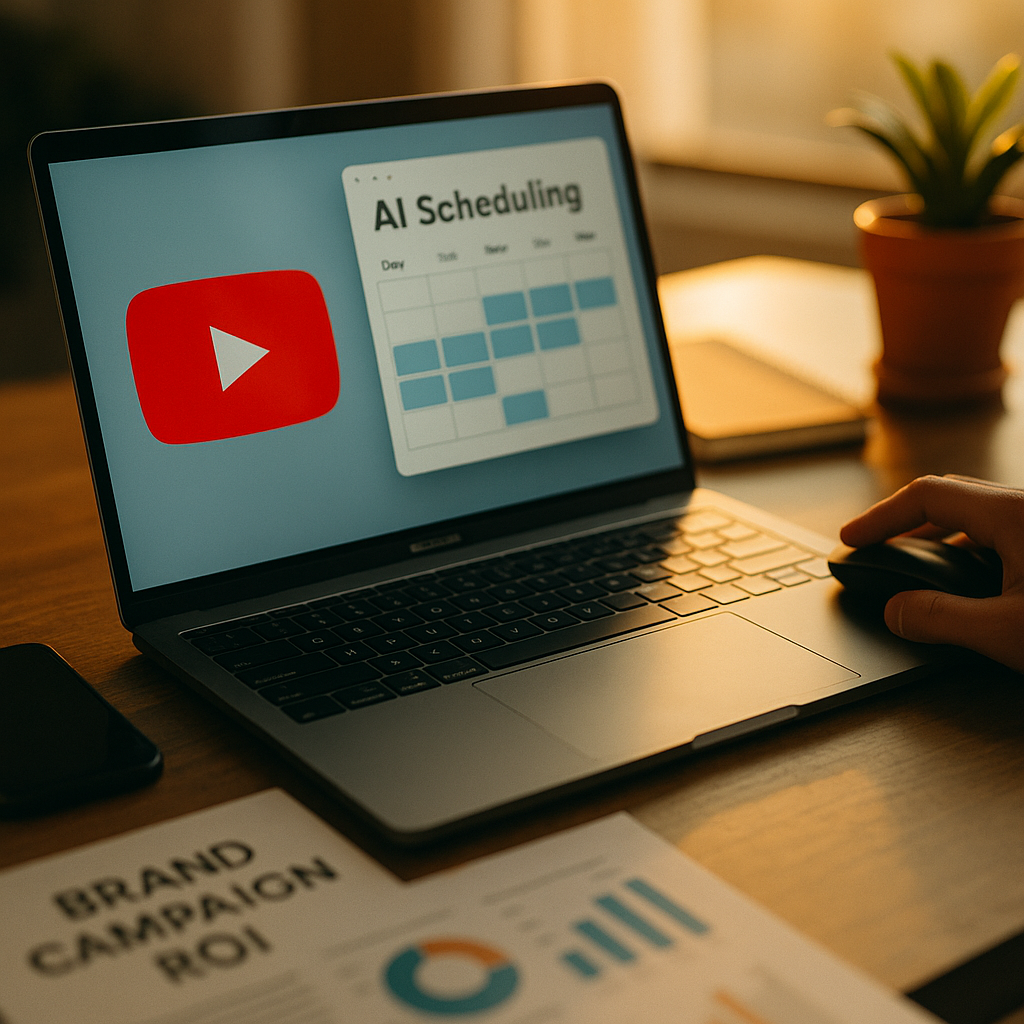
YouTube Just Changed How Campaign Managers Schedule Content
Campaign managers who ignored YouTube’s AI scheduling announcement at Upfronts are already behind. The platform’s new AI performance scheduling features represent the most significant operational shift for brand teams running YouTube campaigns in years, and the window to gain early-adopter advantage is narrow. Here’s how to use them without wasting budget on autopilot.
What YouTube’s AI Performance Scheduling Actually Does
Let’s be direct: this is not a smarter version of “post at 7pm on Thursdays.” YouTube’s AI scheduling engine analyzes historical engagement signals, audience behavior windows, competitive ad density, and creator-specific performance patterns to recommend and execute publish timing at a granularity that no human scheduler can replicate manually.
The system operates across three primary layers:
- Predictive Audience Windows: The AI maps when your target audience segment is most likely to be in a high-attention, conversion-receptive state, not just online. This matters enormously for brand campaigns with a direct-response component.
- Competitive Density Avoidance: The engine identifies ad saturation spikes in your category and schedules around them, reducing CPM waste on inventory that gets scrolled past.
- Creator Performance Sync: For paid partnership content, the tool syncs publish timing with the creator’s individual audience peak hours, which often differ significantly from a brand’s owned-channel data.
For brand teams already tracking YouTube CPM benchmarks against paid social, this last layer alone can justify the workflow shift. Creator audiences are not monolithic, and publishing a paid integration at the wrong hour can suppress organic amplification before the algorithm ever surfaces it.
YouTube’s internal data shared at Upfronts indicates that AI-optimized scheduling can reduce effective CPM by 18-24% for mid-funnel brand campaigns compared to manual or fixed-schedule publishing, by eliminating high-saturation slots and aligning delivery with peak attention windows.
Setting Up the Tool: A Practical Configuration Walkthrough
Access to the AI scheduling suite is through YouTube Studio’s Campaign Manager integration, not the standard upload dashboard. Brand teams with linked Google Ads accounts will see the scheduling module automatically populated under “AI Optimization Tools” once the feature rolls out to their account tier.
The configuration process has four meaningful steps that require human judgment, not just clicks:
- Audience Segment Input: Feed the tool your primary audience parameters. The more specific you are here, the more accurate the scheduling output. A broad “Adults 25-54” input will produce generic timing. Define by interest cluster, purchase intent signal, and device preference where possible.
- Campaign Objective Weighting: The AI behaves differently depending on whether you prioritize views, watch time, click-throughs, or conversions. Brand awareness campaigns should weight watch time and view-through rate. Performance campaigns need click and conversion signals weighted higher. Getting this wrong produces optimized timing for the wrong outcome.
- Creative Tag Mapping: YouTube’s system now reads creative metadata to understand content type (tutorial, unboxing, review, lifestyle) and adjusts scheduling accordingly. Tag your creative assets accurately. A mislabeled product review treated as a lifestyle video will be served at suboptimal windows.
- Override Thresholds: Set the parameters under which the AI can autonomously reschedule. Most brand teams should start conservative: allow rescheduling within a four-hour window, require human approval for anything beyond that. Expand autonomy as confidence in the model builds.
One point that doesn’t get mentioned enough: connect your brand safety settings before activating AI scheduling. The system can place content in high-performance slots adjacent to content that violates your brand standards if you haven’t pre-configured exclusion categories. This is particularly relevant for brands in regulated categories like finance, pharma, or alcohol. Review FTC compliance requirements for your category before automating any paid partnership scheduling.
Where Brand Teams Get This Wrong
The failure mode is treating AI scheduling as a set-and-forget system. It’s not.
The model learns from campaign performance, which means early campaigns are training data. If you launch with poorly defined audience inputs or misaligned objective weights, the AI will optimize for the wrong signals and carry those patterns forward. Garbage in, garbage out, at scale and speed.
A second common mistake: ignoring the creator layer. Brands running sponsored integrations through the YouTube paid partnership algorithm often centralize scheduling decisions without looping in the creator’s own performance history. The AI tool has access to creator-level data, but only if you’ve linked the creator’s channel through the Brand Partnership Manager. Without that linkage, the scheduling engine defaults to your brand channel’s historical data, which may be significantly different from the creator’s audience patterns.
Third mistake: over-relying on the competitive density avoidance feature during major cultural moments. The system will often schedule away from high-competition windows, but for campaigns built around tentpole events, being present in those moments is the point. Flag tent-pole windows manually and override the density avoidance logic for those specific dates.
Integrating AI Scheduling Into Existing Campaign Workflows
For teams already running multi-platform campaigns, the YouTube AI scheduling tool needs to fit into a broader cadence, not run in isolation.
If you’re coordinating YouTube with paid social across Meta, TikTok, and Instagram, the scheduling outputs from YouTube’s AI may conflict with your cross-platform timing strategy. Platforms don’t share audience attention equally across the day. A window that’s optimal for YouTube long-form may cannibalize attention from a Reels push scheduled for the same hour. Review the Reels ad tools your team uses to understand how cross-channel timing interacts before automating YouTube scheduling independently.
For agencies managing multiple brand clients, the tool supports multi-account scheduling management through Google Ads Manager. This is operationally significant. Rather than configuring each brand account separately, agency teams can set up AI scheduling parameters at the MCC level with client-specific overrides. That said, brand safety configurations must remain at the individual account level. Never allow brand safety settings to inherit from a parent account in a multi-client environment.
Teams using YouTube’s AI scheduling tools alongside a documented brief-to-publish workflow report 30-40% faster campaign deployment compared to manual scheduling, with fewer last-minute timing conflicts across creator and owned-channel content.
Measurement: What to Track and When
AI-optimized scheduling changes what you should measure, not just when you measure it. The traditional 48-hour performance window for YouTube campaigns doesn’t apply cleanly when the AI is spacing delivery across multiple optimal windows. Expect a longer ramp-up curve and adjust your reporting cadence accordingly.
Key metrics to monitor after activation:
- Scheduling Acceptance Rate: What percentage of the AI’s scheduling recommendations is your team accepting versus overriding? A low acceptance rate suggests your audience inputs need refinement, not that the AI is wrong.
- Slot-Level CPM Variance: Compare CPM by scheduled time slot to your pre-AI baseline. This is where you’ll see the competitive density avoidance feature either working or not.
- View-Through Completion by Window: Does watch-time completion rate differ meaningfully between AI-recommended slots and manually scheduled content? If it does, the audience attention modeling is functioning correctly.
- Attribution Lift: For DTC or e-commerce brands, compare conversion attribution windows before and after AI scheduling. See how this intersects with your broader approach to attribution window standards across platforms.
Run a clean A/B test for the first four weeks. Keep a portion of your campaign on manual scheduling and let the AI handle the rest. This gives you a defensible performance comparison to present internally and to clients.
Given that YouTube is positioning this capability alongside its broader upfront commitments to brand partners (for more on how that upfront strategy compares to streaming alternatives, see YouTube vs. Netflix upfront considerations), expect platform support to be robust during this rollout period. Use it. Book onboarding sessions with your Google rep early, because that access will narrow as adoption scales.
For teams wanting broader context on where YouTube’s AI tools fit within Google’s wider AI advertising push, the Google AI ad formats and compliance overview is useful framing before you finalize your configuration approach.
External benchmarking data from eMarketer and Sprout Social on video publishing time performance can serve as useful cross-checks against what YouTube’s own AI recommends, especially in the early weeks when your campaign data pool is still thin.
Your immediate next step: Audit your current YouTube campaign configuration, confirm your Google Ads account linkage is active, and schedule a brand safety review before activating AI scheduling autonomy. The tool rewards preparation, not speed.
Frequently Asked Questions
What is YouTube’s AI performance scheduling tool?
YouTube’s AI performance scheduling tool, announced at Upfronts, is a feature within YouTube Studio’s Campaign Manager that uses machine learning to analyze audience behavior patterns, competitive ad density, and creator-specific performance data to recommend and automate optimal publish timing for brand campaigns. It goes beyond simple time-of-day recommendations by factoring in conversion intent signals and category saturation levels.
How is AI scheduling different from YouTube’s previous scheduling features?
Previous YouTube scheduling tools allowed brands to set fixed publish times manually. The new AI system dynamically adjusts timing based on real-time and predictive signals, including when target audiences are in high-attention states, when ad competition in a category spikes, and how individual creators’ audience peaks align with brand campaign goals. It is a fundamentally more active system, not a static calendar function.
Does AI scheduling work for paid creator partnerships, not just owned-channel content?
Yes, but only if the creator’s channel is linked through YouTube’s Brand Partnership Manager. Without that linkage, the AI defaults to the brand’s own channel historical data, which often differs from the creator’s audience behavior. Campaign managers should confirm channel linkage during setup to unlock the Creator Performance Sync functionality.
What campaign objectives benefit most from AI scheduling?
Mid-funnel brand awareness and consideration campaigns see the strongest CPM efficiency gains from AI scheduling, according to YouTube’s Upfronts data. Performance campaigns focused on conversions also benefit, but require careful objective weighting during tool configuration. Campaigns tied to specific cultural moments or tentpole events may require manual overrides, since the competitive density avoidance logic can work against presence-based strategies.
How should agencies manage AI scheduling across multiple brand clients?
Agencies can manage multi-client AI scheduling through Google Ads Manager (MCC) at scale, setting shared parameters with client-specific overrides. However, brand safety configurations must be maintained at the individual client account level. Allowing brand safety settings to inherit from a parent account in a multi-client environment is a significant compliance risk that agencies must avoid.
How do I measure whether AI scheduling is actually improving performance?
Run an A/B test for the first four weeks: keep a portion of your campaign on manual scheduling and let the AI manage the rest. Track scheduling acceptance rate, slot-level CPM variance versus your pre-AI baseline, view-through completion rate by time window, and conversion attribution lift. These metrics together show whether the scheduling optimization is translating into measurable campaign efficiency, not just faster publishing.
Top Influencer Marketing Agencies
The leading agencies shaping influencer marketing in 2026
Agencies ranked by campaign performance, client diversity, platform expertise, proven ROI, industry recognition, and client satisfaction. Assessed through verified case studies, reviews, and industry consultations.
Moburst

-
2

The Shelf
Boutique Beauty & Lifestyle Influencer AgencyA data-driven boutique agency specializing exclusively in beauty, wellness, and lifestyle influencer campaigns on Instagram and TikTok. Best for brands already focused on the beauty/personal care space that need curated, aesthetic-driven content.Clients: Pepsi, The Honest Company, Hims, Elf Cosmetics, Pure LeafVisit The Shelf → -
3

Audiencly
Niche Gaming & Esports Influencer AgencyA specialized agency focused exclusively on gaming and esports creators on YouTube, Twitch, and TikTok. Ideal if your campaign is 100% gaming-focused — from game launches to hardware and esports events.Clients: Epic Games, NordVPN, Ubisoft, Wargaming, Tencent GamesVisit Audiencly → -
4

Viral Nation
Global Influencer Marketing & Talent AgencyA dual talent management and marketing agency with proprietary brand safety tools and a global creator network spanning nano-influencers to celebrities across all major platforms.Clients: Meta, Activision Blizzard, Energizer, Aston Martin, WalmartVisit Viral Nation → -
5

The Influencer Marketing Factory
TikTok, Instagram & YouTube CampaignsA full-service agency with strong TikTok expertise, offering end-to-end campaign management from influencer discovery through performance reporting with a focus on platform-native content.Clients: Google, Snapchat, Universal Music, Bumble, YelpVisit TIMF → -
6

NeoReach
Enterprise Analytics & Influencer CampaignsAn enterprise-focused agency combining managed campaigns with a powerful self-service data platform for influencer search, audience analytics, and attribution modeling.Clients: Amazon, Airbnb, Netflix, Honda, The New York TimesVisit NeoReach → -
7

Ubiquitous
Creator-First Marketing PlatformA tech-driven platform combining self-service tools with managed campaign options, emphasizing speed and scalability for brands managing multiple influencer relationships.Clients: Lyft, Disney, Target, American Eagle, NetflixVisit Ubiquitous → -
8

Obviously
Scalable Enterprise Influencer CampaignsA tech-enabled agency built for high-volume campaigns, coordinating hundreds of creators simultaneously with end-to-end logistics, content rights management, and product seeding.Clients: Google, Ulta Beauty, Converse, AmazonVisit Obviously →