


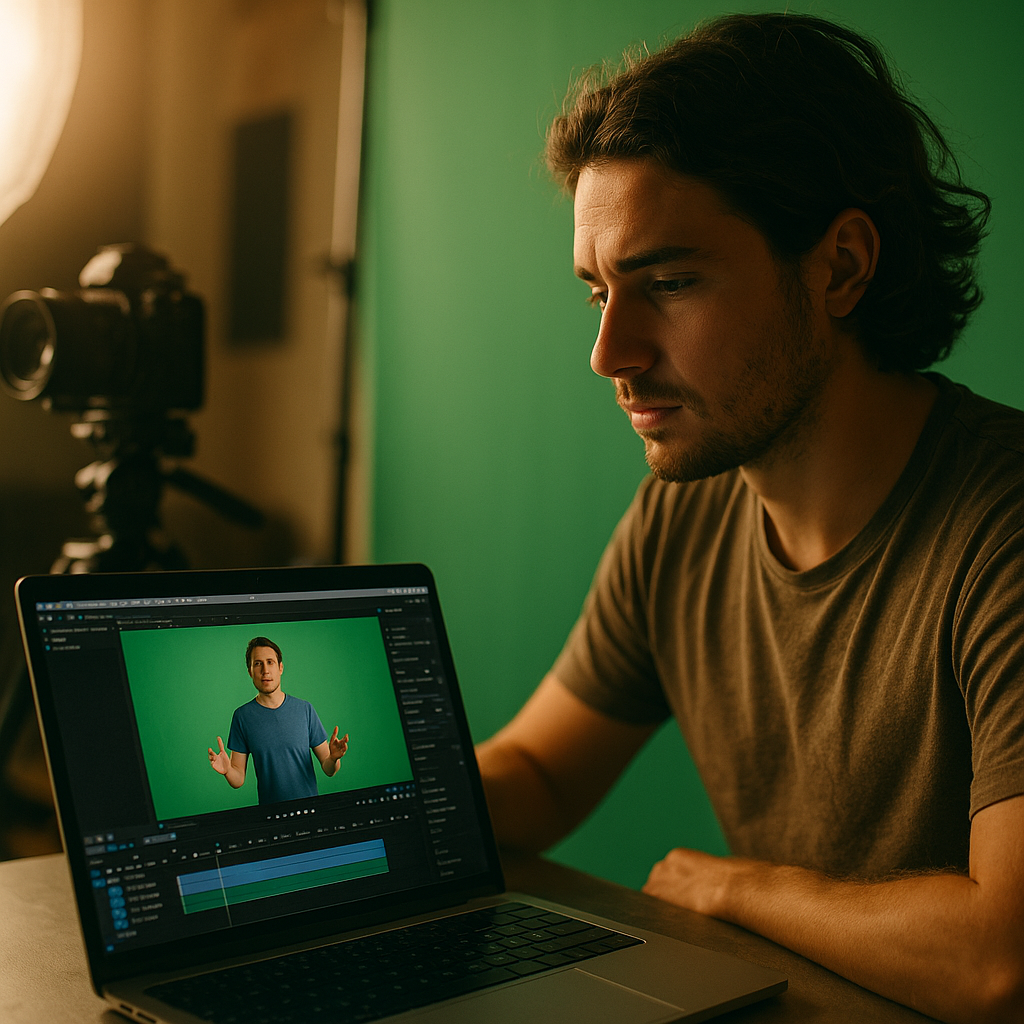
Explainer videos with a talking head over a static background have completion rates roughly half those of screen-share tutorials, according to internal benchmarks that most brands quietly track and rarely publish. The green screen tutorial format fixes that gap without hiring a production crew or licensing stock footage. It is fast, cheap, and it makes creators look like subject matter experts even when they recorded the whole thing on a phone propped against a water bottle.
This is not a novelty effect. It is a briefing system that marketing teams can hand to any creator, in-house or freelance, and get a consistent, on-brand explainer back within days.
What the Green Screen Format Actually Solves
Most brand explainer content fails for one of two reasons: it looks too polished to feel trustworthy, or it looks too raw to feel credible. Green screen tutorials split the difference. The creator’s face stays front and center, which preserves the parasocial trust that makes influencer content work in the first place, while the background does the heavy lifting of showing product screens, comparison charts, app walkthroughs, or step-by-step visuals.
Think about how often your audience needs to see something rather than just hear about it. A skincare routine, a SaaS dashboard, a checkout flow, a spreadsheet template. Voiceover alone forces viewers to imagine the thing. A static UGC talking head forces them to trust a claim with no visual proof. Green screen tutorials show the proof while a human explains it, which is exactly why they outperform both formats on watch time and, more importantly, on conversion.
Screen-share style explainers convert better not because they look expensive, but because they remove the cognitive gap between “what the creator is saying” and “what I’m supposed to picture in my head.”
It also solves a production problem brands rarely say out loud: creators are inconsistent on lighting, backgrounds, and framing. A green screen brief standardizes the visual environment without requiring the creator to own a ring light or a clean apartment corner. That consistency matters when you are running the same format across a roster of 20, 50, or 200 creators for a single campaign.
The Repeatable Brief: What to Actually Send Creators
A green screen brief works because it is boring in the right places and flexible in the right places. Standardize the mechanics, leave room for the creator’s voice. Here is the structure that has held up across product categories from fintech apps to skincare to B2B software:
- Hook (0 to 3 seconds): A problem statement or question delivered straight to camera, before the green screen graphic appears. This keeps the format from feeling like an ad the moment it starts.
- Screen reveal (3 to 6 seconds): The creator gestures toward the background as the visual populates, whether that is an app screen, a before/after graphic, or a labeled diagram.
- Walkthrough (the bulk of the video): Three to five discrete steps, each tied to a specific visual change in the background. Brief the exact screenshots or graphics you want swapped in at each step.
- Payoff: A result, a number, or a visible outcome. This is where completion rates spike or drop, so front-load the most interesting visual here, not at the very end.
- CTA: Spoken, not just on-screen text. Platforms increasingly reward videos where the spoken CTA matches captions for accessibility scoring.
Give creators a shot list, not a script they read word for word. The best-performing green screen tutorials sound conversational because the talent is explaining in their own words, guided by your bullet points rather than reciting brand copy. This is the same principle behind hook first UGC briefs, where structure replaces scripting to preserve authenticity while still hitting the notes a brand needs.
What Goes Into the Background Assets
This is where most teams underinvest. If you send a creator a single low-res screenshot and expect a polished tutorial, you will get a polished tutorial with a blurry background. Build a small asset kit for each brief: three to six background images or short screen recordings, sized for 9:16, with any sensitive data blurred or replaced with placeholder content.
If your product has a live dashboard or app interface, record a clean screen capture in advance rather than asking the creator to screen-record their own device mid-shoot. It removes a technical failure point and keeps every video visually consistent, which matters more than people expect when you are running paid amplification across a batch of assets.
Why This Format Works Better on Sound Off Feeds Too
Roughly the majority of mobile video is watched with sound off, per widely cited platform data, which means your explainer has to work as a silent, captioned experience first and an audio experience second. Green screen backgrounds are a gift here because the visual itself often communicates the step even before captions load. A screenshot with an arrow pointing at a button tells the story faster than a caption reading “then click the button.”
Pair this format with the same captioning discipline used in silent subtitled video content, where the visual and text carry full narrative weight without relying on audio. And if you are optimizing for scroll-stopping in muted autoplay environments specifically, the editing logic from silent autoplay cuts applies almost directly to how you should pace the screen reveals in a green screen tutorial.
Compliance Is Easier Here, Not Harder
A common objection from legal and compliance teams: does the green screen background count as a claim, and does it need substantiation the same way a spoken claim would? Yes, generally. If the background shows a before/after result, a specific number, or a comparison chart, treat it with the same scrutiny you’d apply to on-screen text claims in a paid ad.
The good news is that the format actually makes disclosure easier to execute well. Because the creator is speaking directly to camera at the start and end of the video, there is a natural, unforced moment to state “ad” or “paid partnership” without it feeling bolted on. This lines up with the approach outlined in disclosure-built hooks, where the FTC requirement gets folded into the hook itself instead of buried in a description box.
Run every background claim through the same substantiation checklist you’d use for a static ad, and keep a record of the source data for any comparison graphic. Regulators care less about the format and more about whether the claim is provable, a point the FTC has been explicit about across its endorsement guidance updates.
Where This Format Fits in Your Content Mix
Green screen tutorials are not a replacement for every format in your influencer program. They are a specific tool for a specific job: explaining something that benefits from visual proof. If your product or claim doesn’t need a visual, don’t force this format. A founder talking honestly about a decision doesn’t need a green screen background, and forcing one in can actually undercut the intimacy that makes founder voice memo videos work in the first place.
Where it earns its place is in product education, app walkthroughs, comparison content, and “how I use this” tutorials, the exact content types that historically underperform because they’re either too dry or too vague. Brands running affiliate or Amazon-adjacent campaigns have found particular success pairing this format with product demo structures similar to those in vertical product demo ads, since both rely on visual sequencing to do the persuasive work that voiceover alone can’t.
Scaling It Without Losing Quality
Once a green screen tutorial format proves itself with one creator, the temptation is to blast the exact same script to fifty more. Resist that. Keep the structural brief (hook, reveal, walkthrough, payoff, CTA) locked, but let each creator bring their own phrasing and pacing. This is the same logic behind multi hook shoots: standardize the skeleton, vary the delivery, and you get a testable library of assets instead of fifty near-identical clones that all fatigue the algorithm at once.
Track performance by which step in the walkthrough gets the highest replay rate. That single metric tells you more about what to keep in future briefs than almost anything else you’ll measure. Tools like Sprout Social or native platform analytics on TikTok and Instagram can surface this at the video level if you’re tagging content consistently.
What Success Actually Looks Like
Set expectations before launch, not after. A well-briefed green screen tutorial should outperform a standard talking-head UGC video on three metrics: average watch time, completion rate, and, if you’re running it as a paid asset, click-through rate on the CTA. If it’s not beating those benchmarks within the first batch of ten to fifteen videos, the issue is almost always the background asset quality or a walkthrough that has too many steps crammed into too short a runtime.
Keep the walkthrough to three steps if you’re targeting a 30 second video, five steps if you’re going closer to 60 seconds. Every additional step past that point is where you start losing viewers, and the data on this is remarkably consistent across categories.
Take This Into Your Next Brief
Pull one underperforming explainer asset from your current library, rebuild it using the hook, reveal, walkthrough, payoff, CTA structure above, and brief a creator with a small background asset kit instead of a script. Run it against the original for two weeks and let completion rate settle the debate.
Frequently Asked Questions
What equipment does a creator need for a green screen tutorial?
Just a phone, a physical green screen or fabric backdrop (or a platform’s built-in green screen effect), and decent lighting. No professional camera or studio setup is required, which is part of why this format scales so well across a creator roster.
How long should a green screen tutorial video be?
Between 30 and 60 seconds works best for most social platforms. Keep it to three walkthrough steps at 30 seconds or five steps at 60 seconds. Longer videos need a stronger payoff to justify the extra runtime.
Does the green screen background count as an advertising claim?
Yes, if it shows specific numbers, comparisons, or results. Treat background visuals with the same substantiation standard you’d apply to on-screen text in a paid ad, and keep documentation for any data shown.
Can this format work for B2B or SaaS products?
It’s arguably strongest there. App walkthroughs, dashboard tours, and feature comparisons are exactly the content types that benefit from visual proof paired with a credible speaker.
How do I brief multiple creators without getting duplicate content?
Lock the structural elements (hook, reveal, walkthrough, payoff, CTA) but let each creator write their own phrasing from your bullet points instead of a verbatim script. This preserves consistency while avoiding the algorithm fatigue that comes from near-identical videos.
Frequently Asked Questions
What equipment does a creator need for a green screen tutorial?
Just a phone, a physical green screen or fabric backdrop (or a platform’s built-in green screen effect), and decent lighting. No professional camera or studio setup is required, which is part of why this format scales so well across a creator roster.
How long should a green screen tutorial video be?
Between 30 and 60 seconds works best for most social platforms. Keep it to three walkthrough steps at 30 seconds or five steps at 60 seconds. Longer videos need a stronger payoff to justify the extra runtime.
Does the green screen background count as an advertising claim?
Yes, if it shows specific numbers, comparisons, or results. Treat background visuals with the same substantiation standard you’d apply to on-screen text in a paid ad, and keep documentation for any data shown.
Can this format work for B2B or SaaS products?
It’s arguably strongest there. App walkthroughs, dashboard tours, and feature comparisons are exactly the content types that benefit from visual proof paired with a credible speaker.
How do I brief multiple creators without getting duplicate content?
Lock the structural elements (hook, reveal, walkthrough, payoff, CTA) but let each creator write their own phrasing from your bullet points instead of a verbatim script. This preserves consistency while avoiding the algorithm fatigue that comes from near-identical videos.
Top Influencer Marketing Agencies
The leading agencies shaping influencer marketing in 2026
Agencies ranked by campaign performance, client diversity, platform expertise, proven ROI, industry recognition, and client satisfaction. Assessed through verified case studies, reviews, and industry consultations.
Moburst

-
2

The Shelf
Boutique Beauty & Lifestyle Influencer AgencyA data-driven boutique agency specializing exclusively in beauty, wellness, and lifestyle influencer campaigns on Instagram and TikTok. Best for brands already focused on the beauty/personal care space that need curated, aesthetic-driven content.Clients: Pepsi, The Honest Company, Hims, Elf Cosmetics, Pure LeafVisit The Shelf → -
3

Audiencly
Niche Gaming & Esports Influencer AgencyA specialized agency focused exclusively on gaming and esports creators on YouTube, Twitch, and TikTok. Ideal if your campaign is 100% gaming-focused — from game launches to hardware and esports events.Clients: Epic Games, NordVPN, Ubisoft, Wargaming, Tencent GamesVisit Audiencly → -
4

Viral Nation
Global Influencer Marketing & Talent AgencyA dual talent management and marketing agency with proprietary brand safety tools and a global creator network spanning nano-influencers to celebrities across all major platforms.Clients: Meta, Activision Blizzard, Energizer, Aston Martin, WalmartVisit Viral Nation → -
5

The Influencer Marketing Factory
TikTok, Instagram & YouTube CampaignsA full-service agency with strong TikTok expertise, offering end-to-end campaign management from influencer discovery through performance reporting with a focus on platform-native content.Clients: Google, Snapchat, Universal Music, Bumble, YelpVisit TIMF → -
6

NeoReach
Enterprise Analytics & Influencer CampaignsAn enterprise-focused agency combining managed campaigns with a powerful self-service data platform for influencer search, audience analytics, and attribution modeling.Clients: Amazon, Airbnb, Netflix, Honda, The New York TimesVisit NeoReach → -
7

Ubiquitous
Creator-First Marketing PlatformA tech-driven platform combining self-service tools with managed campaign options, emphasizing speed and scalability for brands managing multiple influencer relationships.Clients: Lyft, Disney, Target, American Eagle, NetflixVisit Ubiquitous → -
8

Obviously
Scalable Enterprise Influencer CampaignsA tech-enabled agency built for high-volume campaigns, coordinating hundreds of creators simultaneously with end-to-end logistics, content rights management, and product seeding.Clients: Google, Ulta Beauty, Converse, AmazonVisit Obviously →