


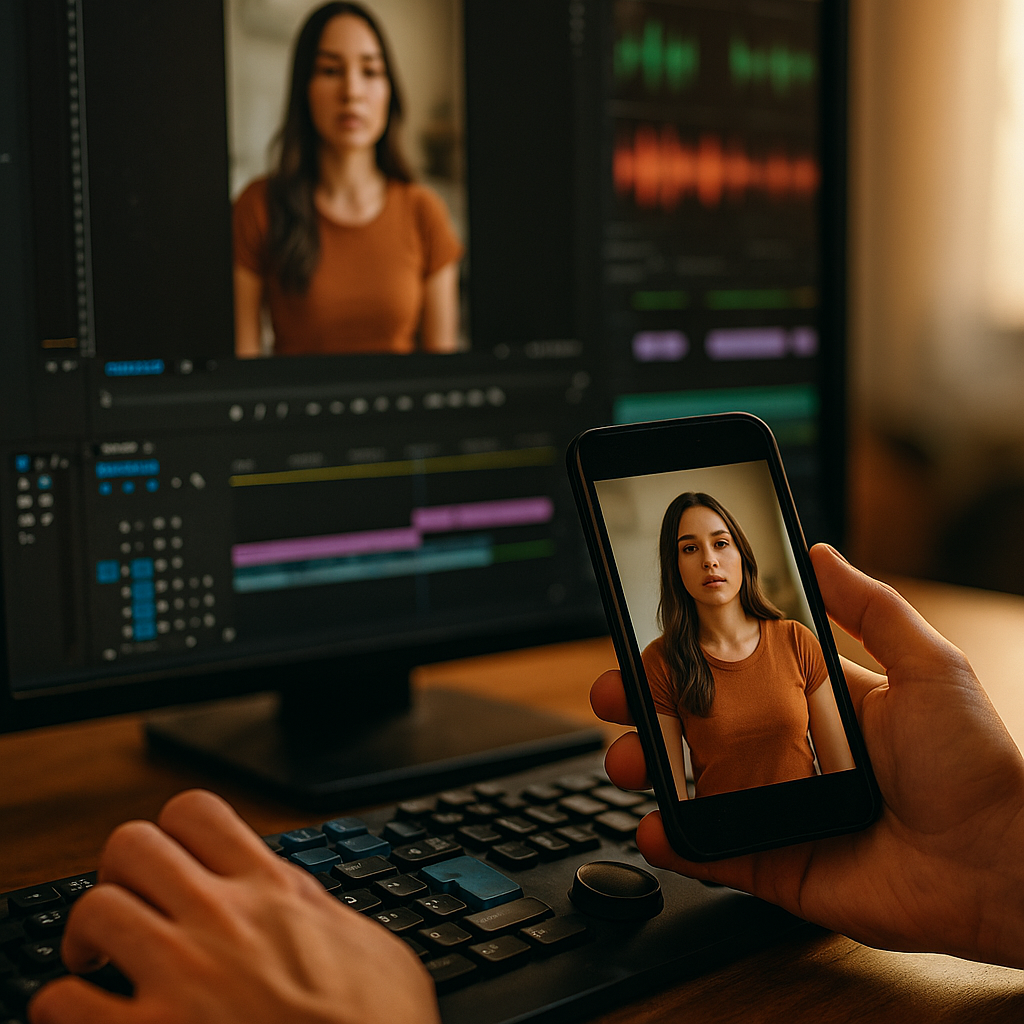
Eighty five percent of Facebook video views happen with the sound off, and Meta’s own ad research has confirmed similar patterns hold across Instagram and LinkedIn feeds. If your creative still relies on a voiceover to land the hook, you’re losing viewers in the first second. Silent autoplay optimized cuts are the format fix: edits built to sell the message visually before anyone taps the speaker icon. This guide breaks down how to brief, cut, and caption for sound off feeds without gutting the creative.
Why “Sound Off First” Isn’t Optional Anymore
Autoplay defaults to muted on nearly every major platform: Facebook, Instagram, LinkedIn, and even YouTube Shorts in certain markets. Users have to opt in to sound. Most don’t, especially in public settings, at work, or scrolling in bed next to a sleeping partner. That behavioral reality means your video has a split second to communicate value through visuals and text alone.
This isn’t a niche edge case anymore. It’s the default viewing condition for a huge share of your audience. Brands that keep treating sound as a given are essentially shooting for a format their audience doesn’t consume.
If your creative only works with audio on, you’ve built a format for a minority use case and called it the default.
What Changes in a Silent Autoplay Cut
A sound off optimized edit isn’t just a captioned version of your standard video. It’s a structurally different cut. The pacing, the hook, the text hierarchy, even the shot selection needs to shift when you assume zero audio.
- Visual hook in the first 1 to 2 seconds: a bold on screen claim, a product reveal, or a pattern interrupt that doesn’t need narration to register.
- Burned in captions, not platform auto captions alone: auto generated captions lag and often mis time with cuts. Burned in text gives you control over emphasis and timing.
- Text as a storytelling device, not a transcript: instead of subtitling every word, use short punchy on screen phrases that carry the narrative even faster than speech would.
- Slower cut rate on key claims: if a viewer needs to read text, give it enough screen time. A claim that flashes for half a second in a voiced video needs 2 to 3 seconds when it’s the only carrier of meaning.
- Visual proof over verbal proof: show the result, the before and after, the demo, rather than relying on a voiceover describing it.
Building the Hook Without Audio
The hook is where most brands fail sound off editing. A voiced hook like “you won’t believe what this does” relies entirely on tone and delivery. Strip the audio and it’s dead air with a talking head.
Replace it with something that reads instantly: a big bold stat, a split screen comparison, or a jarring visual moment (product breaking, liquid spilling, a before/after wipe transition). The goal is to make the first frame do double duty as both hook and headline.
Teams running hook testing before spend should specifically flag which hooks perform on mute versus sound on. It’s common to find a hook that crushes it with audio but flatlines without, and vice versa. Testing both conditions separately catches this before budget is committed.
Caption Design Is a Creative Decision, Not an Afterthought
Too many brands treat captions as a compliance checkbox, something bolted on after the edit is locked. In a sound off first world, captions are the primary copywriting layer. Font size, contrast, placement, and timing all affect comprehension and retention.
A few operational rules that hold up across platforms:
- Keep caption lines to 5 to 7 words max per frame. Longer lines force viewers to pause scrolling, which they won’t do.
- Use high contrast text boxes or outlines, not just white text on busy backgrounds.
- Sync captions to the beat of the cut, not to a strict word by word transcript. If a visual beat lands on 1.5 seconds, the caption should land there too.
- Avoid stacking captions with existing UI elements (like buttons or logos) that platforms overlay in feed.
This is where format discipline overlaps with tools like speed edit templates that pre bake caption timing into the cut. Standardizing this at the template level saves editors from rebuilding caption logic on every single asset.
Pacing: Slower Than You Think
Voiced videos can move fast because the ear processes speech quicker than the eye processes text plus visuals simultaneously. Silent cuts need a beat of breathing room. Rushing text heavy silent cuts is the single most common mistake in this format.
A useful benchmark: if a claim would take 2 seconds to say out loud, give the on screen version at least 2.5 to 3 seconds of hold time. That extra half second accounts for the viewer needing to notice the text exists, read it, and register it before the cut moves on.
Silent doesn’t mean faster. It means every second of screen time has to work harder because there’s no audio filling the gaps.
Platform by Platform Nuances
Sound off behavior isn’t uniform. It varies by context and audience intent, and briefs should reflect that.
- Facebook and Instagram feed: highest sound off rates, especially on Facebook. Assume near universal mute and build accordingly.
- LinkedIn: professional context means sound off is almost guaranteed, often in open office settings. This is a core reason why sound off briefs have become standard for B2B product reels.
- TikTok: lower sound off rates than feed platforms since users often have headphones in, but still worth captioning for accessibility and for the swipe away crowd.
- CTV and streaming placements: sound is almost always on since these are living room contexts, so silent cut logic matters less here. See the differences covered in CTV reformatting guidance for contrast.
Briefing a single “sound off cut” for every platform is a mistake. The caption density, pacing, and hook style that works on LinkedIn will feel sluggish on TikTok. Build platform specific variants off a shared master edit rather than a one size fits all export.
Working This Into Existing Production Workflows
Adding a sound off variant to every asset sounds expensive until you build it into the base workflow instead of treating it as a bolt on reshoot. Brands running a multi platform master edit approach can bake caption timing and visual hook variants into the original shoot plan, cutting down on the need for separate silent specific productions.
This also connects to creator briefing. If UGC creators are told upfront to shoot with visual clarity in mind (clear product shots, exaggerated gestures, text friendly pauses), the raw footage is usable for both sound on and sound off cuts without reshoots. Operational guides like creator ops workflows increasingly bake this requirement into standard briefs rather than leaving it as an edit room fix.
Rights and usage also matter here. A silent cutdown is still a derivative asset, so make sure your usage rights tracking covers reformatted and re captioned versions, not just the original delivered file.
Measuring Whether It’s Working
Standard video metrics don’t always tell you if a sound off cut is succeeding. Watch time and completion rate are useful, but pair them with platform level sound on toggle data where available, and with thumb stop rate in the first 3 seconds specifically.
According to eMarketer research on short form video consumption, retention in the first 3 seconds is one of the strongest predictors of overall completion, which makes the silent hook the single highest leverage point in the entire edit. Sprout Social’s benchmarking data on feed engagement similarly points to caption legibility as a recurring factor separating high and low performing organic video.
If you’re running paid spend against these cuts, split test the sound off variant against a standard voiced cut with sound off tracking enabled in Meta Ads Manager or TikTok Ads Manager. Don’t assume the silent cut wins by default. Test it, especially for audiences known to watch with sound on, like TikTok native users with headphones already in.
Common Mistakes That Undercut the Format
- Relying on platform auto captions as the final layer: they’re a safety net, not a design choice. Timing errors and missed emphasis hurt comprehension.
- Treating captions as a literal transcript: dense, word for word captions overload the frame and slow reading speed.
- Ignoring accessibility standards: caption contrast and readability aren’t just performance levers, they’re compliance concerns too. The FTC and accessibility guidelines increasingly expect clear disclosure and readable on screen text in ad creative.
- Skipping the visual proof step: if the product benefit only comes through in narration, the silent cut has nothing to show. Rebuild the shot list, not just the edit.
Next Step
Don’t retrofit silence onto a voiced edit. Brief the visual hook, caption pacing, and shot list for sound off from the start, then adapt upward for sound on placements. Pull your last three top performing voiced ads, cut silent versions using the pacing rules above, and A/B test them against the originals before you scale the next production round.
Frequently Asked Questions
What is a silent autoplay optimized cut?
It’s a video edit specifically built to communicate its message through visuals and on screen text alone, without relying on a voiceover or audio cues, designed for feeds where video plays muted by default.
Why do so many feeds default to muted autoplay?
Platforms mute autoplay by default to avoid disrupting users scrolling in public, professional, or shared spaces. It reduces jarring interruptions and keeps the browsing experience passive until a user actively opts into sound.
Do I need a separate shoot for sound off cuts?
Not necessarily. If the original shoot plan includes clear product visuals, exaggerated gestures, and text friendly pauses, the same footage can be re edited for silent viewing without a full reshoot.
How long should on screen text stay visible in a silent cut?
Give claims roughly 2.5 to 3 seconds of screen time, longer than the equivalent spoken duration, since viewers need time to notice, read, and process text without audio reinforcement.
Should burned in captions replace platform auto captions?
Yes, for primary messaging. Auto captions are useful as an accessibility backup, but burned in captions give editors control over timing, emphasis, and visual hierarchy that auto generated text can’t match.
Does this format matter on platforms where sound is usually on, like TikTok?
It still helps for accessibility and for the segment of users who scroll on mute, but the pacing and caption density can be lighter than on Facebook, Instagram feed, or LinkedIn, where sound off is closer to universal.
Top Influencer Marketing Agencies
The leading agencies shaping influencer marketing in 2026
Agencies ranked by campaign performance, client diversity, platform expertise, proven ROI, industry recognition, and client satisfaction. Assessed through verified case studies, reviews, and industry consultations.
Moburst

-
2

The Shelf
Boutique Beauty & Lifestyle Influencer AgencyA data-driven boutique agency specializing exclusively in beauty, wellness, and lifestyle influencer campaigns on Instagram and TikTok. Best for brands already focused on the beauty/personal care space that need curated, aesthetic-driven content.Clients: Pepsi, The Honest Company, Hims, Elf Cosmetics, Pure LeafVisit The Shelf → -
3

Audiencly
Niche Gaming & Esports Influencer AgencyA specialized agency focused exclusively on gaming and esports creators on YouTube, Twitch, and TikTok. Ideal if your campaign is 100% gaming-focused — from game launches to hardware and esports events.Clients: Epic Games, NordVPN, Ubisoft, Wargaming, Tencent GamesVisit Audiencly → -
4

Viral Nation
Global Influencer Marketing & Talent AgencyA dual talent management and marketing agency with proprietary brand safety tools and a global creator network spanning nano-influencers to celebrities across all major platforms.Clients: Meta, Activision Blizzard, Energizer, Aston Martin, WalmartVisit Viral Nation → -
5

The Influencer Marketing Factory
TikTok, Instagram & YouTube CampaignsA full-service agency with strong TikTok expertise, offering end-to-end campaign management from influencer discovery through performance reporting with a focus on platform-native content.Clients: Google, Snapchat, Universal Music, Bumble, YelpVisit TIMF → -
6

NeoReach
Enterprise Analytics & Influencer CampaignsAn enterprise-focused agency combining managed campaigns with a powerful self-service data platform for influencer search, audience analytics, and attribution modeling.Clients: Amazon, Airbnb, Netflix, Honda, The New York TimesVisit NeoReach → -
7

Ubiquitous
Creator-First Marketing PlatformA tech-driven platform combining self-service tools with managed campaign options, emphasizing speed and scalability for brands managing multiple influencer relationships.Clients: Lyft, Disney, Target, American Eagle, NetflixVisit Ubiquitous → -
8

Obviously
Scalable Enterprise Influencer CampaignsA tech-enabled agency built for high-volume campaigns, coordinating hundreds of creators simultaneously with end-to-end logistics, content rights management, and product seeding.Clients: Google, Ulta Beauty, Converse, AmazonVisit Obviously →